

iExit is a free app that shows you every gas station, restaurant, and hotel available at upcoming interstate exits, listed in order of how soon you'll reach them, so you're never making a blind decision at 70 MPH.
It's available on both iOS and Android, requires no account to use, and features a deliberately simplified interface designed for passenger-seat use at highway speeds.
When the highway exit is coming up in two miles, and you have about ten seconds to decide whether to pull off or keep going, iExit is the only app that gives you the full breakdown before the moment arrives.
Good cell coverage makes iExit worth using
iExit needs a data connection to show what's at the next exit, and coverage can get patchy on long stretches of rural highway. Verizon MVNO carriers run on one of the most extensive networks in the U.S. at a lower monthly price, so you're not paying more just for a reliable signal in the middle of nowhere.
Check out the most popular plans now:
|
Visible

$25 Visible Plan
$25.00/mo
Taxes & Fees included
|
|
XFINITY Mobile

Mobile Select Plan
$0.00/mo
(for the first year of service) <br>Regular rate of $30/mo. thereafter
|
|
US Mobile

Unlimited Premium Plan
$39.00/mo
|
What is iExit?
iExit is a free road trip app that uses your GPS location to display gas stations, restaurants, and hotels at every upcoming interstate exit, listed in order of how soon you'll reach them. It's designed to be used while traveling, so the interface is deliberately simple and large-format.
How iExit works on the road
Open iExit while you're on the highway, and it immediately pulls your location and starts listing the next several exits in sequence. Tap any exit, and you see the full breakdown: which gas stations are there and their current fuel prices, which fast food chains and restaurants are available, and which hotels are accessible from that exit.
The interface is intentionally stripped back, with large buttons and minimal text, because it's designed to be readable from the passenger seat at highway speed.
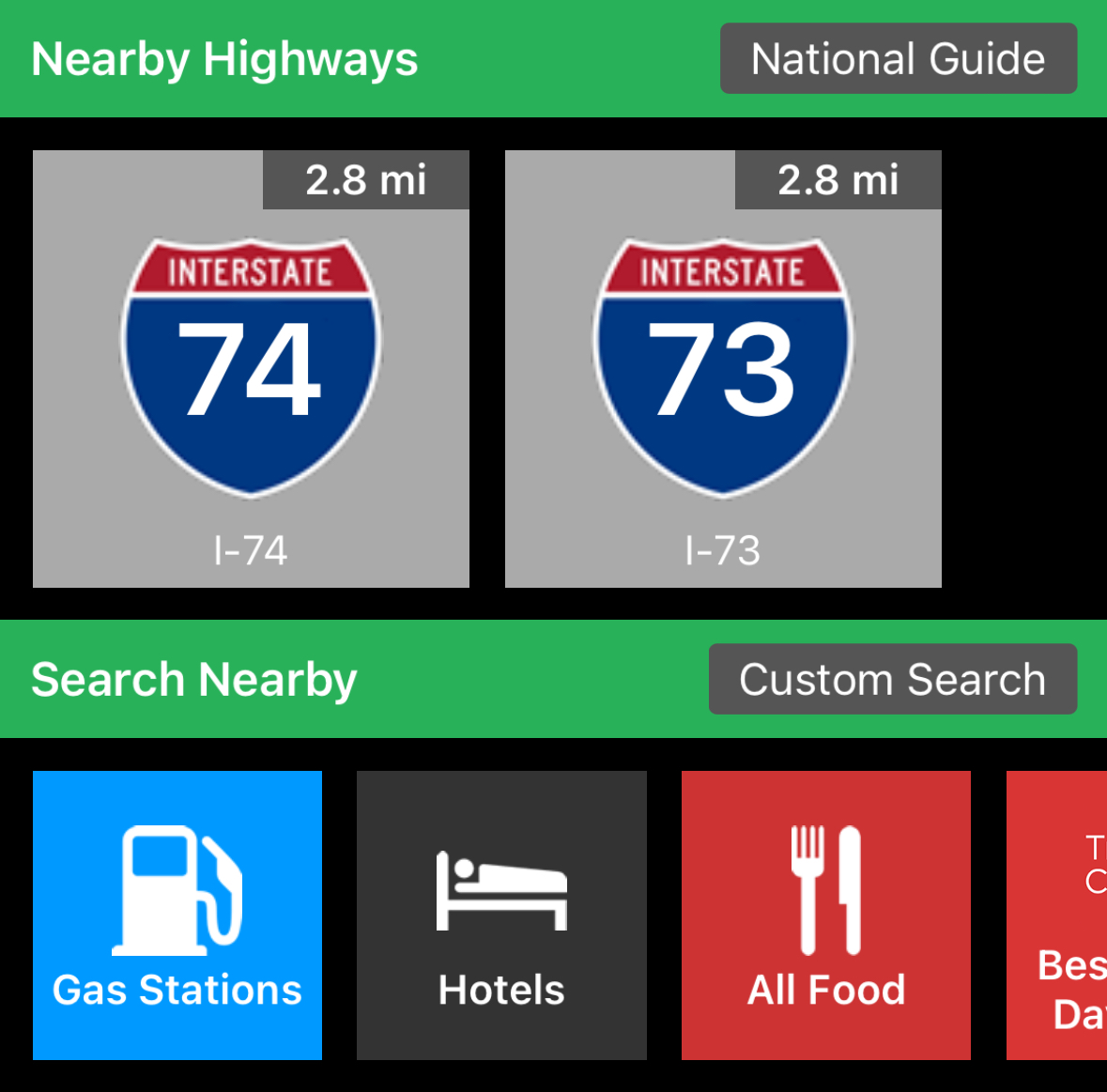
Image: Max McCaskill |WhistleOut
The gas price data comes from GasBuddy, so you're seeing the same live crowdsourced prices without needing to switch apps. Hotel listings include the distance from the exit and a direct link to book, which is handy when you're unexpectedly calling it a day on the road and need to find something fast.
Not sure how to update your apps?
Keeping your apps up to date ensures you're always getting the latest features, bug fixes, and security improvements. Learn how to update the apps on your iPhone and your Android. It takes less time than you think.
The one drawback... or dealbreaker
iExit works on interstates and major highways. It doesn't help much if your road trip takes you off the beaten path onto state routes or two-lane backroads, because the exit-by-exit model only applies to controlled-access highways. If your route includes extended stretches away from the interstate system, iExit will have gaps, and you'll want to lean on Google Maps or GasBuddy for stops in those sections.
For anyone sticking to the interstate system, the app is essentially gapless in its coverage of the United States.
Who should use iExit
iExit is built for interstate road trippers who want a fast, simple answer to "what's at the next exit" without opening Google Maps and searching mid-drive. It's free, requires no account, and takes about thirty seconds to learn. Find it alongside four other road trip essentials in our guide to the best road trip apps.
How WhistleOut reviews apps
Our mobile experts scour the app stores, looking for the best new apps for Android and iPhone. Before recommending an app, we put it to the test to evaluate whether it delivers on its promises.
- Easy to use
Great apps simplify your phone. We select tools that don't require a complicated instructional manual to figure out. - Affordability
We lean into quality apps that don't cost a fortune. Extra points if they're free. - Hands-on testing
We tested iExit on a real road trip to evaluate exit data accuracy and how the interface holds up at highway speed.
iExit FAQ
Is iExit free?
Yes, iExit is free to download and use on both iOS and Android with no subscription required.
Does iExit work on all roads?
iExit is designed for interstate highways and major controlled-access roads. It doesn't work on state routes or backroads that don't have numbered exits.
Does iExit show gas prices?
Yes, iExit pulls gas price data from GasBuddy and displays current prices at stations near each exit, so you can compare fuel costs before deciding where to stop.
Does iExit require an account?
No, iExit doesn't require an account to use it. iExit works without registration or an account, making it one of the fastest apps to get up and running mid-trip.
Jessica Santero
Staff Writer

Find a better phone plan
Thousands of cell phone plans unpacked. All the facts. No surprises.


.png?w=280&h=280&usm=20&usmrad=0.8&fit=crop "Best Cell Phone Deals for June 2026: Get the New iPhone 17 for Free")



