
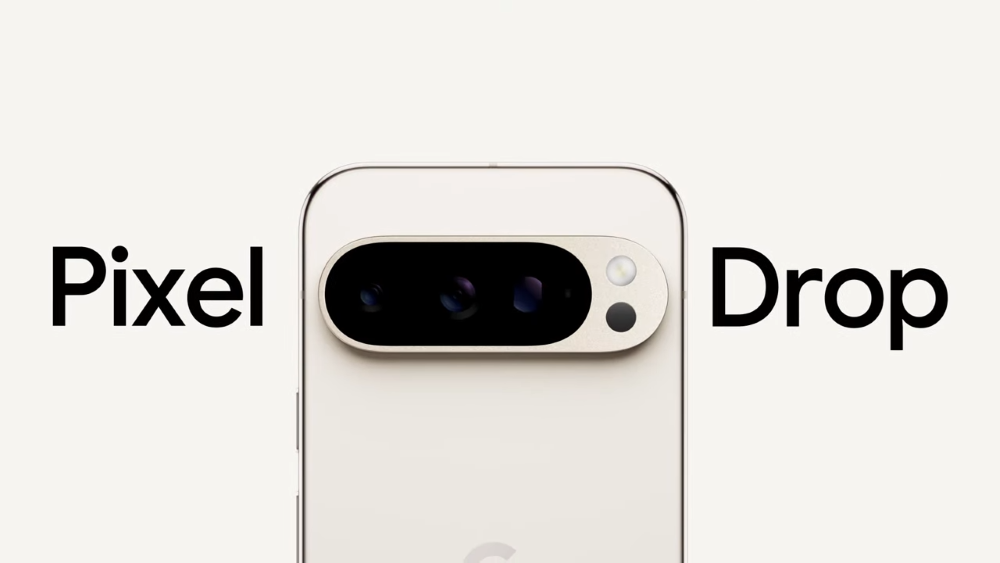
Google released Android 15 to Pixels on October 15, 2024. As part of the system’s rollout, Google also announced a Pixel Drop bringing exciting new features to Pixel smartphones.
While the updates are largely limited to Pixel 9 devices, some features are also coming to older Pixel models. The five best features Google announced are updates to the Thermometer app, Audio Magic Eraser for videos, underwater photography, astrophotography improvements, and theft protection for Pixels.
Read on to learn more about these new features and how to get them on your Pixel phone.
1. Thermometer app updates
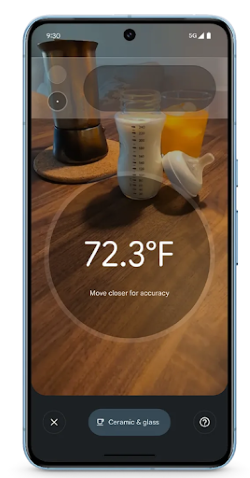
Image: Google
The Thermometer app uses the sensors in a Pixel 8 Pro’s or Pixel 9 Pro’s camera array to measure live temperature readings of almost any surface. New updates to the app’s interface make it easier to center objects you’d like to measure, allow you to save results, and give instructions on taking more accurate measurements.
2. Audio Magic Eraser
Audio Magic Eraser is a new feature for video editing on the Pixel 8 and 9 series devices. It allows users to reduce or remove distracting sounds and turn up important audio. For example, a user might want to reduce the sound of wind or crowds in a video while increasing voices or music—now they can do that easily.
3. Underwater photography
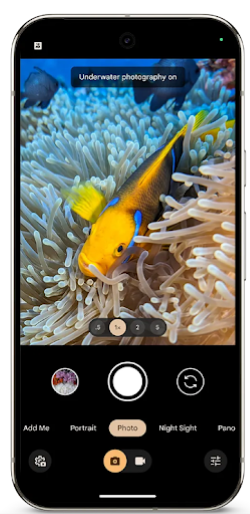
Image: Google
Google has updated the camera abilities of the Google Pixel 9 series to capture underwater photography. Enabling the setting makes underwater images and videos more lifelike and colorful. Just note that you must have a waterproof phone case to use this feature.
4. Astrophotography improvements
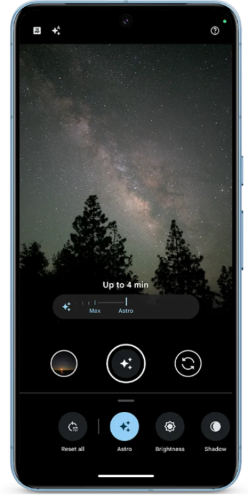
Image: Google
Pixels have long had some of the best astrophotography features of any smartphone. The most recent updates make these features easier to access and use. Users can now tap the Night Sight icon, slide to Astro, and immediately start taking photos of the sky. The Pixel will also give a 5-second countdown that allows users to put their phone in a stable place. The astrophotography updates are available on Pixel 6 and newer devices.
5. Theft protection
Theft protection is a new Pixel and Android 15 feature that protects your device if it’s stolen. The Pixel’s sensors determine if the phone has been snatched and automatically lock the device to prevent thieves from accessing your data. A new Remote Lock feature allows you to lock your phone from afar if you’ve misplaced it or believe it’s been stolen. These features are available on Pixel 6 and newer devices.
How to update your Google Pixel to Android 15
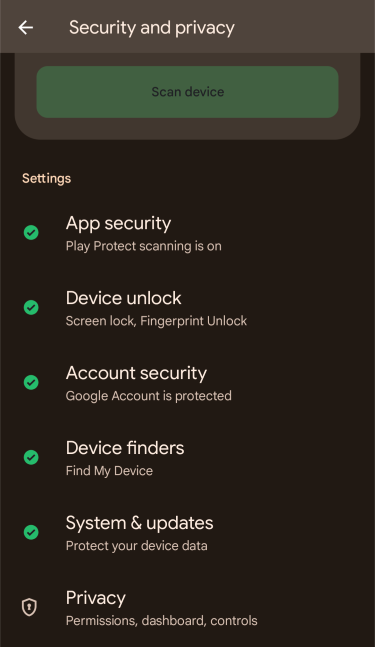
Image: Max McCaskill.
Android 15 is available to Pixel 6 and newer devices. You’ll need Android 15 to access these new features.
If your Google Pixel is eligible for Android 15, you can update your device by following these steps:
- Go to Settings.
- Tap Security and Privacy.
- Tap System & Updates.
- Download the Android 15 update.
Max McCaskill
Sr. Staff Writer

Thousands of cell phone plans unpacked. All the facts. No surprises.





.png?w=280&h=280&usm=20&usmrad=0.8&fit=crop "The Best Cheap Phone Plans for 2026: We Tested Them All to Help You Save")


