

Image: Max McCaskill
If your Face ID fails when you're outdoors, don't automatically assume it's because of your iPhone itself. In very bright areas or in direct sunlight, it's more likely that the cause is actually the light itself.
Face ID uses infrared light to scan your face, which means it's sensitive to the surrounding environment in ways you may not be able to see. Too much sunlight pouring into your iPhone's TrueDepth camera when viewing your face can easily disrupt the system.
In most cases, a simple adjustment in how you're holding your iPhone or your settings will fix the problem. We'll walk you through why Face ID fails in bright light environments and what you can do about it.
How Face ID reads your face
Face ID projects 30,000 invisible infrared dots onto your face to generate a 3D model it uses to unlock your phone. Each time a face looks at your screen, Face ID compares it to the scan saved in its memory to see if they match.
That infrared scan makes Face ID incredibly accurate, but it also makes it vulnerable to certain lighting conditions. Since infrared light exists all around us, too much of it can cause the sensor to struggle to see the dots.
The good news is you can usually fix this problem by changing where you are or how you're holding your iPhone. There's no need to adjust any settings on your device.
Why is Face ID not working in sunlight?
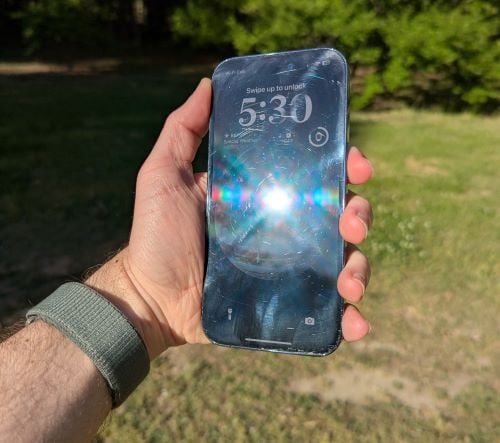
Image: Max McCaskill
Sunlight is loaded with infrared light. When you're outside on a sunny day, the ambient infrared waves can overwhelm the TrueDepth camera's Face ID sensors, preventing it from scanning your face.
Easy ways to fix too much sunlight entering your Face ID include:
- Stepping into the shade
- Tilting the phone to block direct sun from hitting both your face and the sensor at the same time
- Cupping your hand over the top of the phone to cut the IR interference
Sunglasses can also cause Face ID problems
If you're standing in bright sunlight, you're likely wearing sunglasses too. This can cause even more problems for Face ID.
Most polarized and UV-blocking sunglass lenses also block or distort the infrared sensors on your iPhone. Face ID can't scan your eyes because it can't see past the glasses, leaving your phone locked.
Common types of sunglasses that cause Face ID to fail include:
- Designer sunglasses
- Polarized sunglasses
- Fishing sunglasses
- Sunglasses with dark tints or mirrored lenses
You can easily fix Face ID problems when wearing sunglasses by simply taking them off to unlock your phone. That said, if it's a frequent issue, we can walk you through disabling certain Face ID settings or adding an Alternate Appearance in our sunglasses and Face ID guide.
If Face ID consistently fails outdoors, even in mild sunlight with no sunglasses involved, something else may be going on. Check out our guide on fixing Face ID when it's not working for more help with the system.
How to make Face ID more reliable
If you find that your Face ID frequently fails, take a look at the places where it's occurring. Apple offers easy fixes that can help the system work more smoothly in bright conditions.
- Add an Alternate Appearance: If you work outdoors or frequently wear sunglasses, adding an Alternate Appearance while doing those things can give your iPhone a better reference point to unlock itself.
- Re-enroll Face ID: If you've recently changed your appearance—like gotten a new haircut—Face ID may not recognize you. Re-enrolling in the system gives Face ID a new starting point.
- Check for obstructions: A cracked screen protector, sunscreen smeared on the TrueDepth camera, or a case that slightly covers the sensor area can all cause intermittent failures. Clean the top of your phone and make sure your screen protector is properly seated.
Face ID and bright environments: FAQs
Does Face ID work in the dark?
Yes, Face ID works in the dark. It uses infrared light, which is not in the visible spectrum, so it can easily work in dark conditions.
Why does Face ID fail in sunlight?
Sunlight contains a lot of infrared light, which can overload Face ID's sensors and make it hard to see its projected dots. Shading your face and the phone's sensor simultaneously is the fastest fix.
Why does Face ID not work when I'm in bed?
Face ID usually fails in bed because you're holding your iPhone at a weird angle. Face ID expects the phone to be roughly level with your face. Lying on your side or on your back with the phone on your chest prevents the TrueDepth camera from seeing your entire face at the right angle.
Does Face ID work with sunglasses?
Face ID works with some sunglasses. Polarized and UV-blocking sunglasses can block or distort infrared light, which Face ID needs to scan your eyes. If the system can't get a clean look at your eyes, Face ID won't unlock your phone. Basic sunglasses with lightly-tinted lenses tend to work well with Face ID.
How do I make Face ID more reliable?
You can make Face ID more reliable by re-enrolling your face, adding an Alternate Appearance for the settings that frequently cause problems, and checking for physical obstructions near the TrueDepth camera.
Max McCaskill
Sr. Staff Writer

Thousands of cell phone plans unpacked. All the facts. No surprises.





.png?w=280&h=280&usm=20&usmrad=0.8&fit=crop "The Best Cheap Phone Plans for 2026: We Tested Them All to Help You Save")


