
For most of us, our smartphones are our lifelines—especially when traveling. Not only do we need a way to communicate with our travel companions or with loved ones back home, but we also use them for navigating unfamiliar areas, tracking the weather, and keeping travel documents like hotel reservations, transportation tickets, and more.
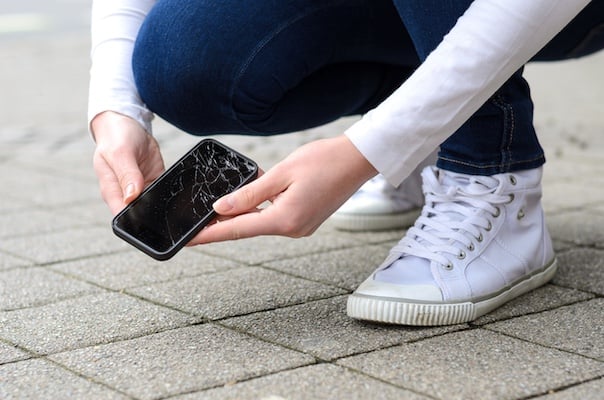
Breaking your phone while traveling can be more than frustrating—it can be downright scary if you don’t have other ways to access these critical features. But don’t panic; whether due to water damage, a long fall, or battery issues, there are some quick fixes you can try if your phone breaks while traveling, while you find a way to take it to a local place for repair.
What to do immediately after your phone breaks while traveling
Regardless of what’s happened to your device, the first thing to do if your phone breaks while traveling is to notify someone you trust that your phone is broken. If you’re traveling with someone else, use their device for the time being and notify friends or family back home about your situation. Make sure they have your companion’s contact information to get in touch with you.
If you’re traveling solo, your hotel concierge should be able to help you get in touch with someone, and make sure to obtain a phone number at the hotel where they can reach you until your phone is back in action. The concierge can also point you to where you can take your device for repair.
Temporary fixes for a broken phone
Fixing a broken phone while traveling depends on what kind of damage it’s incurred and whether you can execute a temporary fix while you work toward a permanent repair
(or buy a new device altogether, if necessary).
How to dry out a wet phone while traveling
Water damage is one of the most common types of damage to a cell phone, especially when traveling to areas with beaches or pools. If you dropped your phone in water and it’s no longer working:
- Immediately turn off your phone and remove any case or accessories. If possible, remove the battery.
- Do your best to dry the exterior of your phone.
- Place the phone in a bag of silica gel packets, if available, or a bag of uncooked rice.
- Leave your phone in the bag for 24-48 hours.
- Try turning it on (replace the battery, if you removed it). If it doesn’t turn on, charge it, then try again. If it still doesn’t turn on, it will need professional repair.
How to fix a broken phone screen while traveling
If you cracked your phone’s screen while traveling, but the screen is still responsive, back up your device immediately to preserve whatever data you have before the possibility of the phone going dark. If you can get by with the cracks until you get home, consider purchasing a screen protector—or even applying some clear tape—to mitigate any further damage to the display throughout the remainder of your trip.
If it’s entirely broken or unresponsive, you’ll need to seek professional repair.
How to fix a phone that’s not charging while traveling
Battery issues while traveling may stem from a simple culprit—your power adapter. If your phone isn’t charging (and you’re outside of the United States), you may not have bought the correct adapter for the country you’re visiting. Head to a local electronics store and ask for an adapter for your specific device, and see if that gets you charging again.
If you’re traveling within the U.S. and your phone stops charging, try the following:
- Switch your phone to a different power outlet—it’s possible the outlet itself isn’t working.
- Try charging your phone with another cable and/or charging brick. If it charges, then your original cable or brick is the problem.
- Check for dust or debris in your phone’s USB port.
If your phone still isn’t charging, or if the battery is continually draining extremely quickly, you will either need to buy a new battery (if your phone has a removable battery) or take it to a repair store to have the battery replaced.
How to fix an unresponsive phone while traveling
If your phone is on but isn’t responding to input, you may just need to do a soft reset on it.
- If you need to fix your
iPhone:
- Press the volume up button, then the volume down button, then press and hold the power button until the Apple logo appears.
- If you have an Android phone:
- Press and hold the power button for 20-30 seconds, or until the screen shuts down and turns back on.
If this doesn’t work, you could attempt a factory reset, but be aware that this is the nuclear option. A factory reset will completely wipe your phone and restore it to its factory settings.
How to repair a phone while traveling
Depending on where you’re traveling and what damage your phone has suffered, you may be able to repair your phone at a local mobile repair shop or electronics store—whether you’re seeking international phone repair abroad or a fix closer to home. If you have an iPhone, ask your hotel concierge whether an Apple Store is nearby to bring your phone to. This is likely the fastest and safest way to repair a broken iPhone while traveling. If your device is an Android, ask about big box stores in the area—the equivalent of a Best Buy.
If your only options are third-party phone repair stores, make sure to ask BEFORE any repairs are done:
- Whether they charge an initial inspection fee (i.e., will you still be charged if your phone isn’t repairable?)
- What labor/service fees they charge
- What parts may be required, whether they’re currently in stock (or need to be ordered), and how much they’ll cost
- How long the repair may take (i.e., will you still be in town?)
How to check your warranty and phone insurance for travel
If your phone’s damage seems to stem from a manufacturer issue, it may be covered under your device’s warranty. Typically, the warranty only extends for a few months after purchasing your phone, and again, the damage must be due to manufacturer defect. If so, contact your carrier or consult your manufacturer, depending on where you initially purchased your device. You will most likely need to wait until you return from your trip to replace your phone.
Most damage won’t be covered under warranty, but it might be covered under your phone insurance policy, if you purchased any. Some, like AppleCare, are offered through the manufacturer; others are add-on options through your cell phone carrier, like AT&T's device protection. If you purchased travel insurance, it may also cover broken phones, depending on the damage and the cause.
How to buy a phone while traveling
If your phone isn't repairable, you may need to replace your phone while traveling. First, though, assess whether you can get by using a travel partner’s device until you return home—especially if you’re traveling internationally. Replacing your device while outside of the country is extremely complicated.
If that ends up being necessary, consider buying an inexpensive burner or disposable phone along with a travel SIM card to get you by until you return. That way, you can stay connected without breaking the bank, and be able to replace your smartphone with your chosen carrier once you’re stateside again.
Christian de Looper
Contributing Writer

Thousands of cell phone plans unpacked. All the facts. No surprises.





.png?w=280&h=280&usm=20&usmrad=0.8&fit=crop "The Best Cheap Phone Plans for 2026: We Tested Them All to Help You Save")


