

Getting the most out of your phone’s battery life is hard if the battery can’t charge. This may happen for several reasons—but the good news is that solutions for the problem could be as simple as rebooting your phone or cleaning out its charging port. On the other hand, some solutions might be a bit more complicated, such as having to buy a whole new charger.
Keep reading to learn about the common reasons your phone's battery might not be charging and the solutions you can take to get your device powered back up.
1. Plug It In Somewhere Else
Before you drive yourself crazy trying to figure out why your phone isn't charging, try to plug it into another outlet or USB port, just in case the one you were trying to use was simply not working. If the phone still isn't charging, then move on to try to figure out other possible reasons.
2. Turn It Off And Turn It Back On Again
Yes, it's the age-old troubleshooting strategy for just about anything tech, but when it works, it's a simple fix—and it seems to work more often than not. It's possible that a glitch in your system is blocking the connection from the charger to the phone and a reboot will wipe that glitch clean. If you are very low on power, you might have to plug your phone in for a little while before you have enough juice to turn it back on.
Reset your iPhone
Having trouble rebooting your iPhone? Be sure to check out our guide on resetting a frozen iPhone.
3. Clean That Dirty Charging Port
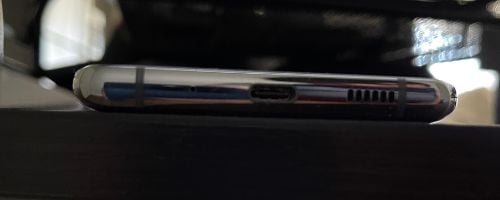
Phones can be gross. We have all been guilty of neglecting our phone's cleanliness at one point, which is unfortunate considering we take them almost everywhere (including the bathroom—GROSS). And if you've had your phone for some time, a blocked charging port might well be a problem.
If you aren't already following good phone-cleaning tips, there's a good chance that the charging port on your phone could have some gunk, dust, lint, or more in it blocking a clean connection between the charger and your device.
To clean out the charging port, turn off your phone and very gently scrape out any buildup with a toothpick or a similar non-metallic thin tool. Be careful not to break any of the pins inside the charging port.
How do I know if my charger port is damaged?
If you clean out your port and you're still not getting your phone to charge, the port itself may be damaged. Some signs of a damaged charging port include:
- A loose connection between your cable plug and your charging port
- An unsteady or inconsistent charge (i.e., you see your phone intermittently accepting a charge, then dropping it)
- Your phone overheating while it's charging
- Extremely slow charging
If any of these are happening, it may be time to price out a charging port repair (or even consider a new device).
4. Check Your Charger
If your phone is plugged in but not charging, you might have a faulty charger. In fact, the most common charging issues are due to cables, chargers, or adapters that are damaged or incompatible with the device.
If you have access to another charger compatible with your phone, plug it in and see if that works. If so, you likely need either a new charger or cable. It's always best to buy a replacement charger made by the same manufacturer as your phone. While there are plenty of reputable third-party chargers out there, poorly made ones can do more damage than good. More on this in 3, 2, 1...
5. Use Proper Third-Party Chargers

If you recently found yourself on a trip and realized you forgot your charger, there's a good chance you went to that airport convenience store and bought a third-party charger. The problem with this scenario is that third-party chargers aren't always guaranteed to work.
Quite frankly, third-party phone chargers seem great because they are generally much cheaper than the chargers you get from your phone's manufacturer. However, if they are not compatible with your specific phone, they might not be able to charge it—or worse, they can damage it. In fact, you should be very careful about using a third-party charger as it could void your phone's warranty.
If you own an iPhone and are set on purchasing a third-party charger, be sure to get an MFI-certified third-party charger for your phone. You are generally safe with reputable brands like Belkin or Anker, no matter which phone you own.
One great example is the Belkin Quick Charge 10W Wireless Charger.
Belkin chargers truly stand out in the crowded market of phone accessories. Their robust build and high-quality materials exude durability and reliability, which is backed up by their consistent and optimal performance. What sets Belkin apart is its adherence to safety standards. The cherry on top is its fantastic customer support and warranties, showing that Belkin really cares about its customers.
Check out the Belken Quick Charge 10W Wireless Charger at Amazon.
6. Check Your Wireless Charging
If you rely mostly on charging your phone with wireless chargers, there is a chance that the function is not working optimally with your device anymore. First, make sure it's not a problem with your phone's case. Some cases will block your phone from receiving the wireless charge.
You might find that transitioning back to wired charging works perfectly fine. While it's not ideal to have a missing feature from your phone, you can at least be comforted to know that you can still power it.
7. Update Your Software
Problems with charging your phone could be traced back to apps or even your operating system. This is just one of several reasons why it's important to keep your phone updated. If your phone is having problems charging, try updating your phone's operating system to see if that fixes the issue. Also, if you recently downloaded an app or two before you started having charging problems, you might need to delete those apps, as they could be interrupting your charge.
If you have an iPhone and are not sure you are running the newest system, check out our guide on the latest iOS.8. Check for Water Damage

Modern phones are made to handle water pretty well, but if you accidentally dunk your phone, there's still a chance that some damage can be done. For charging, this is especially true if you do not let your phone dry completely before trying to charge it. Electricity and water do not go well together. If there is any moisture left in the charging port and you plug in your device, you could ruin the charging system. In this case, you might be looking at replacing your phone or paying for some costly repairs.
9. Make Sure Your Phone Isn't Too Hot
While your phone may be good-looking, we're talking about temperature here. Charging your phone will raise its temperature, and if it gets too hot, it can overheat. Many phones will stop charging if it gets too hot to protect from overheating. You can help by making sure you are storing your phone in a cool place while it's charging. Avoid leaving your phone out in the sun or next to warm things while it is plugged in.
10. Get a New Phone
Your phone might not be charging or it might not be keeping a charge simply because it's getting old. This could be a sign that it's time to get a new phone.
The good news is that there are plenty of great cell phone deals that you can take advantage of to get a great phone for cheap or even free. This can be a better option than getting your battery replaced. Here is a list of some of the most popular phones available today:Moto G 5G (2026) 128GB
- 6.7 inch display
- Rear Cameras: 50MP, 2MP
- Front Camera: 32MP

Galaxy A26 5G
- 6.7 inch display
- Rear Cameras: 50MP, 8MP, 2MP
- Front Camera: 13MP

Galaxy A27 5G 128GB
- 6.7 inch display
- Rear Cameras: 50MP, 5MP, 2MP
- Front Camera: 12MP

Galaxy A37 5G 128GB
- 6.7 inch display
- Rear Cameras: 50MP, 8MP, 5MP
- Front Camera: 12MP

Edge (2026) 128GB
- 6.3 inch display
- Rear Cameras: 50MP, 50MP, 10MP
- Front Camera: 50MP

Moto G Stylus 5G (2026) 128GB
- 6.7 inch display
- Rear Cameras: 50MP, 13MP
- Front Camera: 32MP
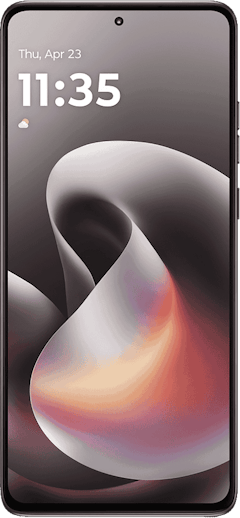
Galaxy A57 5G 128GB
- 6.7 inch display
- Rear Cameras: 50MP, 12MP, 5MP
- Front Camera: 12MP
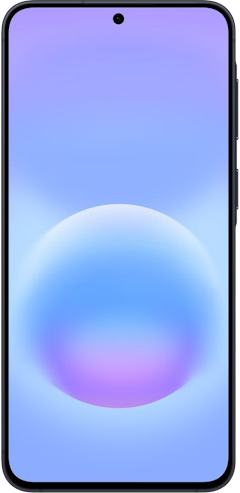
Pixel 10a 128GB
- 6.3 inch display
- Rear Cameras: 48MP, 13MP
- Front Camera: 13MP
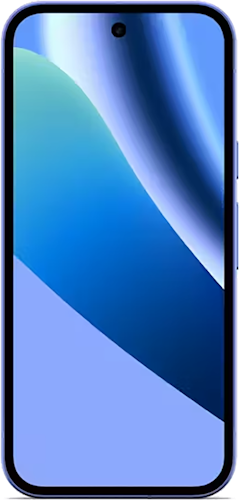
Pixel 10 128GB
- 6.3 inch display
- Rear Cameras: 48MP, 10.8MP, 13MP
- Front Camera: 10.5MP
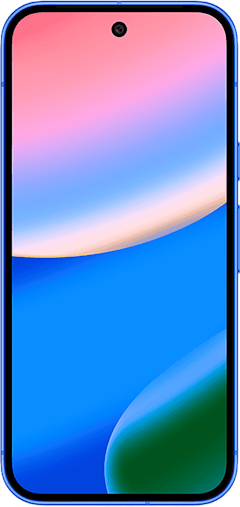
iPhone 16 128GB
- 6.1 inch display
- Rear Cameras: 48MP, 12MP
- Front Camera: 12MP


Angelo Ilumba
Senior Writer

Thousands of cell phone plans unpacked. All the facts. No surprises.





.png?w=280&h=280&usm=20&usmrad=0.8&fit=crop "The Best Cheap Phone Plans for 2026: We Tested Them All to Help You Save")


