
Apple's Medical ID turns your iPhone into something a first responder can actually use for information if you can't speak for yourself.
The system lets first responders view your emergency health information—like pre-existing conditions, medications, allergies, and emergency contacts—right from your Lock Screen, without needing your passcode.
It's one of those iPhone safety features that takes about two minutes to set up and matters most on the one day you actually need it.
Here's how to set up Medical ID on your iPhone, plus what information you should include.
What Medical ID actually does
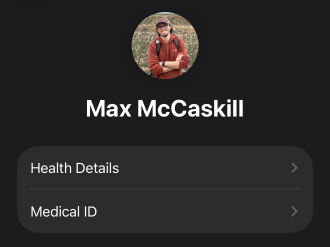
Image: Max McCaskill
Medical ID is a feature built into Apple's Health app that lets first responders view your emergency health information on the Lock Screen, without needing your passcode. It shows them things like your pre-existing conditions, the medications you take, allergies, and your emergency contacts.
If you're in a car accident, Medical ID is also built to work seamlessly with your iPhone's Crash Detection feature, alerting emergency services about the accident and providing them with your medical information if they look at your phone.
In an emergency, first responders don't have time to guess whether you're diabetic or allergic to penicillin. Medical ID puts that information in a place that's easily accessible, without compromising your privacy.
How to set up your Medical ID
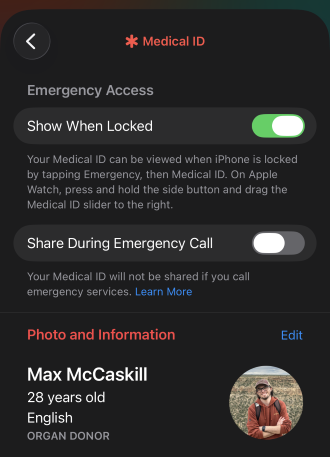
Image: Max McCaskill
To set up your iPhone's Medical ID:
- Open the Health app.
- Tap your profile picture in the top right corner.
- Select Medical ID, then tap Get Started (or Edit if you've set one up before).
- Fill in your information, then scroll down and make sure Show When Locked is toggled on.
Note that enabling Show When Locked is the only way to ensure the information is visible to emergency responders who don't have your passcode.
What to include (and what to skip)
At a minimum, add your emergency contacts. This field lets first responders notify someone on your behalf, even if you're unable to.
Beyond that, list any conditions that would change how someone treats you in the event of an emergency. Things like diabetes, epilepsy, heart conditions, current medications, blood type, and allergies can all impact the types of treatments you're given.
You also have the option to add things like your height and weight, but these are less important factors for first responders. Apple also continually adds new reporting features in its most recent version of iOS, so check back periodically to see if anything has changed.
The bottom line: Set up Medical ID now for future emergencies
Medical ID isn't flashy, and it's not a setting you'll use very often (if at all). Instead, it's designed for emergencies when you can't speak up for yourself, and someone else needs to. It's an important tool in your iPhone's emergency features.
Set it up once, update it when your medications or physical conditions change, and rest easier knowing that your phone can vouch for you if an emergency impacts you.
Max McCaskill
Sr. Staff Writer

Thousands of cell phone plans unpacked. All the facts. No surprises.





.png?w=280&h=280&usm=20&usmrad=0.8&fit=crop "The Best Cheap Phone Plans for 2026: We Tested Them All to Help You Save")


