
So you decided to switch to Mint Mobile. It's a pretty smart decision, as doing so gets you fast and reliable service at a price much lower than those you see from the major carriers. Now it's time to activate your new plan.
I recently tested out Mint and can tell you that activating a Mint plan is extremely easy. You can do it right on your phone with the Mint Mobile app or online at Mint's website. I'll guide you through the process I took and explain other options.
Mint Mobile's 10-year anniversary deal: Any 6-month plan for $10/month

Mint Mobile is turning 10, and it's celebrating with what it calls its best deal ever. From October 8 through October 22, 2026, every 6-month Mint plan costs $10/month, which comes to $60 paid upfront.
The offer covers the 6GB, 17GB, 23GB, and Unlimited plans, so Mint's Unlimited plan costs the same as its smallest plan for the first six months.
Deal ends October 22, 2026.
$60 upfront payment for 6-mo. plan ($10/month equiv.) req'd. Taxes & fees extra. First 6 mos. only. Over 50GB may slow when network is busy.
Switching to Mint Mobile is easy
If you are on the fence about switching to Mint Mobile, don't let a fear of activating on a new plan and carrier scare you. Mint makes the entire process very easy. So, go ahead and make the switch!
To make things even easier, we've outlined each of Mint Mobile's plans and highlighted some of the best Mint Mobile deals. You can also take a quick look at Mint's options here:
|
Mint Mobile
Unlimited Data Plan
$10.00/mo
$60 for 6 months of service
|
|
Mint Mobile
23GB Data Plan
$10.00/mo
$60 for 6 months of service
|
|
Mint Mobile
17GB Data Plan
$10.00/mo
$60 for 6 months of service
|
|
Mint Mobile
6GB Data Plan
$10.00/mo
$60 for 6 months of service
|
|
Mint Mobile
Mint Kids Plan
$15.00/mo
$45.00 upfront payment for 3 months <br>(equals to $15.00/month). <br>Intro pricing for new customers only.
|
Mint Mobile activation
You can activate your Mint Mobile account online or by using the Mint Mobile app.
Activating on the Mint Mobile app
Using the Mint Mobile app is probably the easiest way to activate your Mint plan. This is how I activated my Mint plan for my review.
To activate using the Mint Mobile app:
- Download and open the Mint Mobile App (Apple, Android).
- Tap on Activate a SIM (upper left-hand corner).
- Enter in your 11-digit ACT code. You can find this on your SIM card kit or in your confirmation email if you are installing an eSIM.
- Follow the next prompts to either keep your number or choose a new phone number.
- Install your SIM or eSIM (for an eSIM, Mint Mobile will email you a QR code to scan with your device).
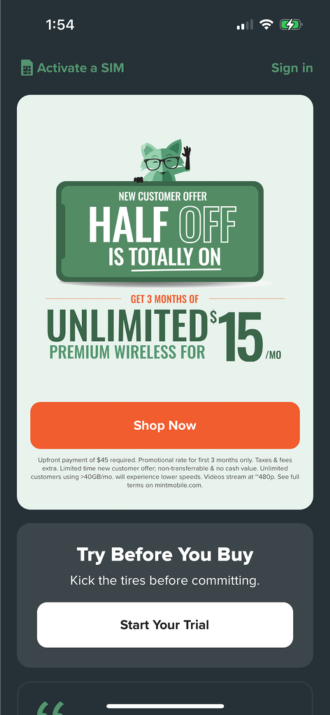
iPhone users should be set from here. Android users, however, will need to change some data settings in order to connect to the internet.
Activating Mint Mobile online
Activating your plan on the Mint site is also very straightforward. You'll simply visit the Mint activation page and enter in your ACT code. The rest of the process is similar to activating through the app.
Changing data settings on Android devices
After you activate your Mint Mobile plan on an Android device, you will need to change some data settings in order to connect to the internet.
To do this, open Access Point Names in your phone's settings. It can be tricky to find this, as it's a little buried in your settings and the location varies depending on your phone. The easiest way to find it is by using your phone's search tool once you have the Settings menu open.
After you find and open Access Point Names, tap on + and change all of the following fields to match these settings:
- Name: Mint
- APN: Wholesale
- Proxy: Leave blank
- Port: Leave blank
- Username: Leave blank
- Password: Leave blank
- Server: Leave blank
- MMSC: http://wholesale.mmsmvno.com/mms/wapenc
- Multimedia Message Proxy: Leave blank
- Multimedia Message Port: 8080
- MCC: Do not change
- MNC: Do not change
- Authentication Type: Leave blank
- APN Type: default,supl,mms,ia
- APN Protocol: IPv4/IPv6
- APN Roaming Protocol: IPv4/IPv6
- MVNO type: GID
- MVNO value: 756D
Once you have all the fields correctly configured, tap on the three dots and select Save. You should now have the full power of your Mint Mobile plan.

Can I change my Mint Mobile number after activation?
Mint Mobile does not give you the option to change your number yourself once your plan is activated. However, you can contact Mint Mobile's customer service and they should be able to help you change your phone number.
Angelo Ilumba
Senior Writer

Thousands of cell phone plans unpacked. All the facts. No surprises.





.png?w=280&h=280&usm=20&usmrad=0.8&fit=crop "The Best Cheap Phone Plans for 2026: We Tested Them All to Help You Save")


