

The stock wallpapers on your iPhone may lose their appeal after seeing them so often on your and other peoples’ phones. So why not find more options you can switch to on the fly? Downloading iPhone wallpapers is an easy and fun way to start customizing your iOS experience.
To set a lovely backdrop, you’ll need high-quality images. Whether you want images with certain colors, art styles, or scenery, we know where to find them. Read on to learn about our favorite places to get iPhone wallpapers.
10 Best Places to Download iPhone Wallpapers
If you're wondering where to find iPhone wallpaper downloads, you've got plenty of choices. These are the top sources to find a new iPhone wallpaper—from sites dedicated to mobile device backgrounds to general image repositories.
WallpaperCave

A veritable treasure trove of high-quality images, WallpaperCave is a fantastic source for iPhone backgrounds. With its search engine design, navigation is a breeze. Simply type in a word or phrase to search from a massive library of photos, or select a trending topic such as “Doctor Strange,” “Moon Knight,” or “Naruto.” You’ll even find high-quality live wallpapers that play on a loop or change perspective.
We love the dedicated “featured phone wallpapers” section and the ability to search by iPhone models like the iPhone 13. In addition to iOS images, WallpaperCave offers desktop, tablet, and Android phone backgrounds, making it a go-to source for all of your wallpaper downloading needs.
iLikeWallpaper

As the “i” in its name suggests, iLikeWallpaper is a website dedicated to iPhone wallpapers. You can browse various categories such as nature, anime, Spider-man, flower, and Star Wars. There are even dedicated sections for perusing images optimized for specific iPhone models like the iPhone 11, iPhone 12, and iPhone 13.
You’ll amass a solid collection of iOS backgrounds in a few clicks. Although its web design is a bit old school, we appreciate that iLikeWallpaper concentrates on phone background-ready pictures.
WallpaperAccess

Head over to WallpaperAccess for, well, easy access to a bevy of beautiful wallpapers for iPhones and other devices. Its impressive graphics library ranges from mobile to laptop and desktop wallpapers. A handy search bar lets you browse specific words and phrases, or you can navigate various categories like Elden Ring, 4K gaming, and Super AMOLED. WallpaperAccess is also a great site for Android phone backgrounds if you need them.
Pexels

Stock photo repositories are fantastic sources of HD wallpapers, and Pexels is no exception. A quick search for iPhone wallpaper yields results optimized for both cutting-edge hardware and older models like the iPhone X. You’ll fill your camera roll with gorgeous images in a few clicks.
Pixabay

Loaded with free photos, Pixabay is a great place to download iPhone background images. You can find tons of HD wallpapers in various sizes and orientations. Pixabay is completely free, although some high-resolution images require an account to download.
Papers.co

With a robust search feature plus helpful tags, Papers.co is a solid option for downloading wallpapers. You can easily browse categories such as Apple, Samsung, Batman, and the Avengers. After clicking on an image, Papers.co offers a host of different sizes, including Apple wallpapers optimized for models from the iPhone X, iPhone SE, and iPad Pro up to the iPhone 13. You can also find sizes for the Macbook Pro 15.
Zedge

A long-standing site dedicated to ringtones and wallpapers, Zedge remains an excellent spot for iPhone personalization. You can easily search for free downloads or browse all wallpapers. In addition to static images, Zedge provides live wallpapers. These dynamic wallpaper options play on a loop or react to your phone’s gyroscope to change perspective in real-time. You’ll need to download an app to obtain live wallpapers with video effects, but it’s quick and easy.
Unsplash

Check out Unsplash for a slew of spectacular images and wallpaper for iPhones. Simply search for a word or phrase, find an appropriate iPhone wallpaper, and save images to your phone. We appreciate Unsplash’s social media features, such as the functionality to follow specific artists, photographers, or similar images. Different categories, including nature, film, and street photography, let you quickly browse collections. Its powerful search feature delivers accurate results within seconds.
Poogla

Peruse Poogla for unique designs optimized for models from the original iPhone to the iPad Retina. Whereas many phone wallpaper websites offer primarily stock photos, Poogla differs in its illustrated image approach. Its carefully curated collection of art for iOS devices hails from select illustrators. You’ll find an array of lovely downloadable images such as a Luigi’s Mansion picture, punny animal drawings, and MC Escher-esque renditions.
Vellum

Unlike most other places to download iPhone wallpapers on this list, Vellum isn’t a website. Instead, it’s an application available in the iOS app store. This free app for iPads and iPhones lets you easily browse many high-quality mobile device backgrounds. It also includes a daily rotating selection of recommended pics and previews of Home and Lock screen wallpapers. Although Vellum is completely free, the app includes ads that you can pay to remove.
How to Change Your iPhone Wallpaper
Now that you’ve downloaded some lovely phone backgrounds, learn how to change your iPhone’s default wallpaper:

- Navigate to Settings.
- Tap Wallpaper.

- Select Choose New Wallpaper.

- Pick an image from your collection or another source.

- (Optional) Adjust its position to fit your phone screen.
The iOS Photos app also lets you swap wallpapers:
- Choose the desired image from your camera roll or a folder in the Photos app.
- Hit the share button in the bottom left-hand corner of the screen.
- Adjust the picture to fit your iPhone display.
Best iPhones for Downloading Wallpapers
Whether you’re upgrading from an older iPhone or switching from Android, you’ll want a good iOS handset. We recommend the iPhone 14 for most folks. In our iPhone 14 review, we appreciated its outstanding camera, powerful processor, and excellent video quality. Photography and videography enthusiasts should snag the iPhone 14 Pro Max or iPhone 14 Pro, while budget-conscious buyers will appreciate the iPhone SE 3rd gen (2022). Want to save on a new device? Check out the best iPhone deals available now.
iPhone 16 128GB
- 6.1 inch display
- Rear Cameras: 48MP, 12MP
- Front Camera: 12MP
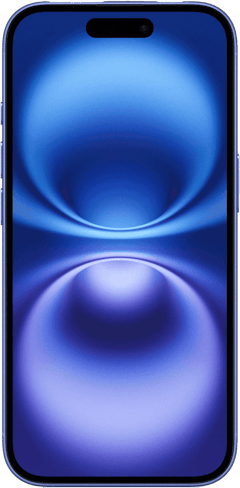
iPhone 18 Pro 256GB
- 6.3 inch display
- Rear Cameras: 48MP, 48MP, 48MP
- Front Camera: 18MP
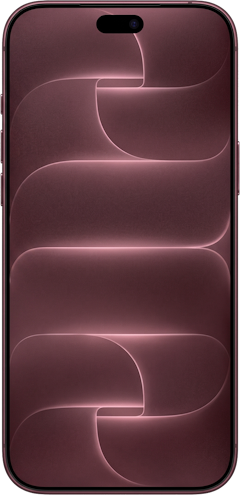
iPhone 18 Pro Max 256GB
- 6.9 inch display
- Rear Cameras: 48MP, 48MP, 48MP
- Front Camera: 18MP
iPhone 18 Pro 512GB
- 6.3 inch display
- Rear Cameras: 48MP, 48MP, 48MP
- Front Camera: 18MP
iPhone 18 Pro Max 512GB
- 6.9 inch display
- Rear Cameras: 48MP, 48MP, 48MP
- Front Camera: 18MP
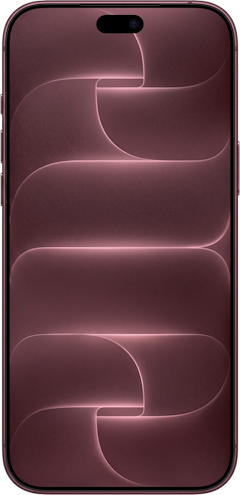

Best Places to Download iPhone Wallpapers FAQs
Where is the best place to download iPhone wallpapers?
Our favorite sites to download iPhone wallpapers include iLikeWallpaper, WallpaperCave, and Pixabay.
Where can you download iPhone wallpapers for free?
Places such as iLikeWallpaper, WallpaperCave, and Pixabay let you download iPhone wallpapers for free.
Can you download more iPhone wallpapers?
Yes! While your iPhone comes preloaded with backgrounds, you can download and use other images.
Where do you find wallpaper settings on your iPhone?
You can change your iOS wallpaper by going to Settings > Wallpaper > Choose New Wallpaper.
Moe Long
Senior Writer

Thousands of cell phone plans unpacked. All the facts. No surprises.





.png?w=280&h=280&usm=20&usmrad=0.8&fit=crop "The Best Cheap Phone Plans for 2026: We Tested Them All to Help You Save")


