
Image: Jessica Santero | WhistleOut
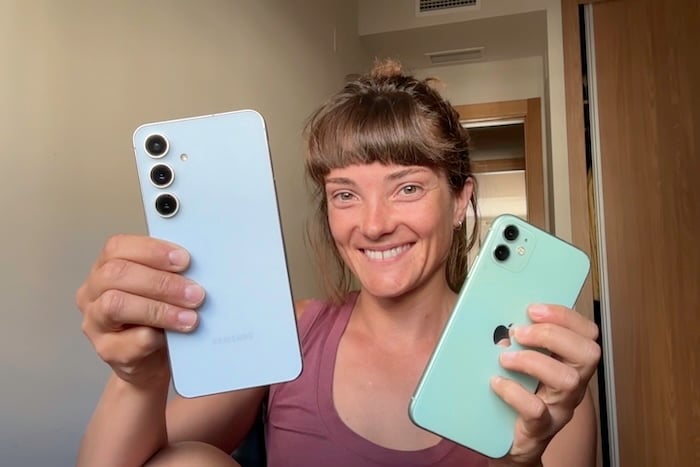
After having iPhones for the past 16 years, switching to the Samsung Galaxy S24 FE made me regret not having made the switch sooner.
I've been an iPhone user since 2010, when I got my first iPhone 4. Five years later, I upgraded to the iPhone 6s, and eventually, the iPhone 11. Through every model, every iOS update, and every underwhelming keynote, I stayed loyal. I held onto my iPhone 11 for years because, honestly, it still worked fine and I had convinced myself that was enough. But somewhere along the way, I started to notice that my phone wasn't cutting it anymore, and worse, I started to hate it.
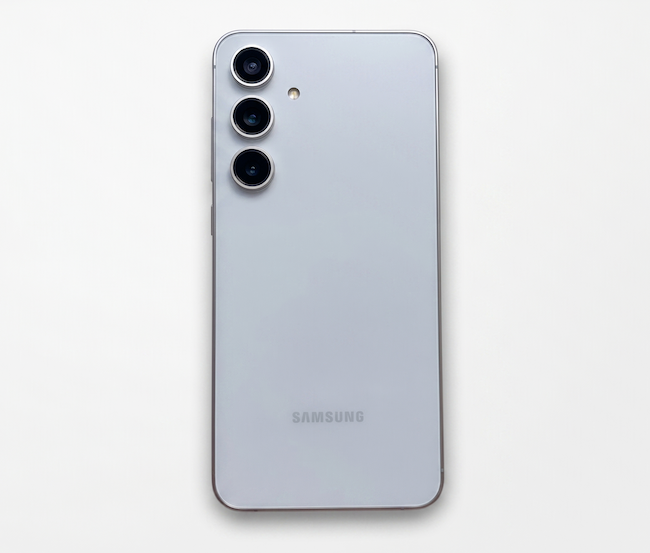
Image: Jessica Santero | WhistleOut
Then I looked around at my family. My brother constantly complains about his iPhone 16 Pro—a device that cost over a grand when he bought it, and looks almost identical to the phone I already own. Meanwhile, my mom picked up a Pixel 10 and hasn't stopped raving about it since. I started to wonder if I had been paying a loyalty tax to Apple for years without realizing it, and whether the if it ain't broke philosophy had become a convenient reason to stop asking whether it could work better.
Luckily, Black Friday quickly came around, so I found a solid deal and decided to ditch my iPhone too.
Still holding onto an older iPhone? Make the switch now.
There's no need to put up with your phone. Since our phones have become our most useful tools in everyday tasks, you deserve a cell phone that works perfectly. But if you aren't sure what phone to get next, check out the best cell phone deals available right now before you commit to anything.
You can find excellent options for every budget. I'm partial to Samsungs, so check out what other people are buying with the most popular models below:
Galaxy A26 5G
- 6.7 inch display
- Rear Cameras: 50MP, 8MP, 2MP
- Front Camera: 13MP

Galaxy A27 5G 128GB
- 6.7 inch display
- Rear Cameras: 50MP, 5MP, 2MP
- Front Camera: 12MP

Galaxy A37 5G 128GB
- 6.7 inch display
- Rear Cameras: 50MP, 8MP, 5MP
- Front Camera: 12MP


Why I didn't just get the newest iPhone
With my 2019 iPhone 11 on the fritz, I needed an upgrade. I narrowed it down to the two best devices at the moment: the iPhone 16 or the Samsung Galaxy S24 FE.
Most people in my position would have just stayed in the Apple ecosystem and upgraded to the next iPhone. But when I put the two side by side, the Samsung Galaxy S24 FE offered a bigger screen, a better display, and more battery life—all for half the price.
Both the iPhone 16 and S24 FE were released in 2024 at roughly the same tier. But the difference is in the price. The S24 FE costs around $400, whereas Apple's iPhone 16 starts at $799.
Here's how both phones compare:
Samsung Galaxy S24 FE vs. iPhone 16
| Samsung Galaxy S24 FE (2024) | iPhone 16 (2024) | |
|---|---|---|
| Display size | 6.7-inch Dynamic AMOLED 2X | 6.1-inch OLED |
| Refresh rate | 120Hz (adaptive) | 60Hz |
| Battery | 4,700 mAh | 3,561 mAh |
| Weight | 213 grams | 170 grams |
| Materials | Aluminum, Gorilla Glass Victus+ front and back | Aluminum, Ceramic Shield front, glass back |
| Pricing | From $400 | From $799 |
| See deals | See deals |
In a direct comparison, the Samsung Galaxy S24 FE beats the iPhone 16 on all fronts. The S24 FE gives you a bigger screen, a faster display, and a battery that lasts longer than the iPhone 16. What makes this comparison even more striking is that the S24 FE isn't even Samsung's flagship device. The FE line is the Samsung mid-range Fan Edition model, designed specifically to bring premium features to a more affordable price point.
An upgrade isn't just about getting the latest model with slightly better specs. I wanted a real improvement. For example, the S24 FE includes an adaptive 120Hz display that makes streaming smooth like butter. But to get a 120Hz display from Apple, you'd need to step up to the iPhone 16 Pro priced at $999—a feature you get for less than half the price with the S24 FE.
I just couldn't justify sticking with Apple because it's overpriced and underwhelming.
The fan-favorite S24 FE feels more premium than its price suggests too. The metal frame stays cool to the touch, and despite the larger 6.7-inch screen, I find it more comfortable to hold one-handed than the iPhones I've owned. That said, the iPhone 16 is noticeably lighter at 170 grams, which may be a dealbreaker if you're looking to cut back on weighty devices. But for me, that tradeoff was easy to make.
Looking to save money? Switch to a cheaper plan
I prefer to spend more on a new phone and save with a cheaper phone plan. In fact, you can probably cut your phone bill in half by switching to a cheaper MVNO that runs on the top nationwide networks.
Check out the most popular plans to start saving on your phone bill:
|
Visible

$25 Visible Plan
$25.00/mo
Taxes & Fees included
|
|
Mint Mobile

Unlimited Data Plan
$10.00/mo
$60 for 6 months of service
|
|
US Mobile

Unlimited Starter Plan
$10.00/mo
|
My top 3 reasons why a Samsung Galaxy is better than an iPhone
I expected a learning curve, but what I didn't expect was how quickly I'd fall in love with the S24 FE. Apart from the obvious upgrades that come with a newer device, the Samsung itself is more intuitive and customizable.
1. Samsung's budget-friendly phone has a better display
Moving from a 60Hz screen to a 120Hz screen is one of those upgrades that you can't unsee once you've experienced it. Scrolling feels instant, animations are smoother, and tapping between apps has a responsiveness that makes the whole phone feel faster.
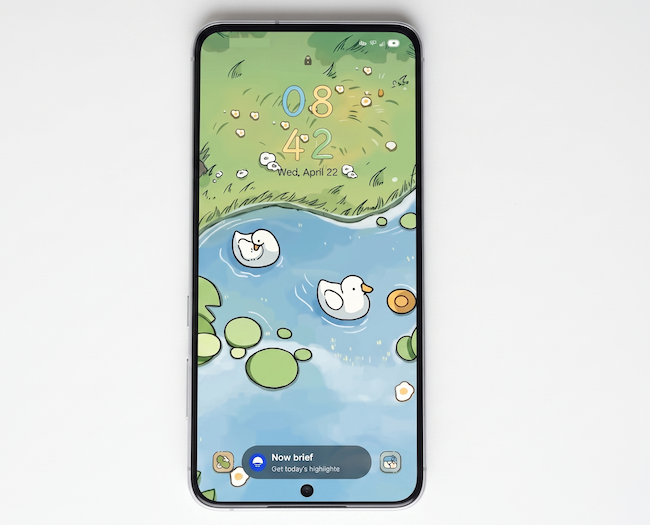
Image: Jessica Santero | WhistleOut
Samsung has offered 120Hz on mid-range phones for several years, while Apple didn't until recently. High refresh rates are only just becoming standard across Apple's base model lineup. In fact, only Apple's Pro and Pro Max models included 120Hz until Apple extended the refresh rate with the 17 series.
The 6.7-inch Dynamic AMOLED panel on the S24 FE is technically better than the iPhone 16's screen, too. Its sheer size and peak brightness, hitting 1,900nits, means everything from streaming video to reading emails looks noticeably better than anything on the iPhone 16's standard display. It's the kind of difference that sounds small on paper but is much more obvious the moment you pick up the phone.
If you have been sitting on the fence about whether the S24 is worth the upgrade, the display alone makes a compelling case, and the rest of the spec sheet only adds to it.
Foldable phones are the future in tech
Honestly, when it comes to screens, bigger is always better. You can snag a foldable phone for double the screen size, which makes streaming and even working on your phone a breeze.
Check out the top foldable phones on the market below:
Pixel 11 Pro Fold 5G 256GB
- 8 inch display
- Rear Cameras: 48MP, 10.5MP, 10.8MP
- Front Cameras: 10MP, 10MP
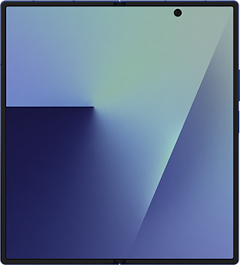
Galaxy Z Fold8 5G 256GB
- 7.6 inch display
- Rear Cameras: 50MP, 50MP
- Front Cameras: 10MP, 10MP
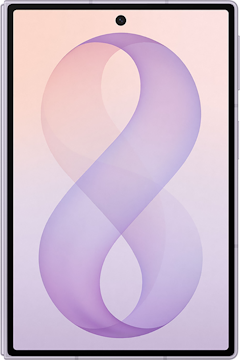
Galaxy Z Fold7 5G 256GB
- 8 inch display
- Rear Cameras: 200MP, 10MP, 12MP
- Front Camera: 10MP
2. Samsung's camera and AI software are seamless
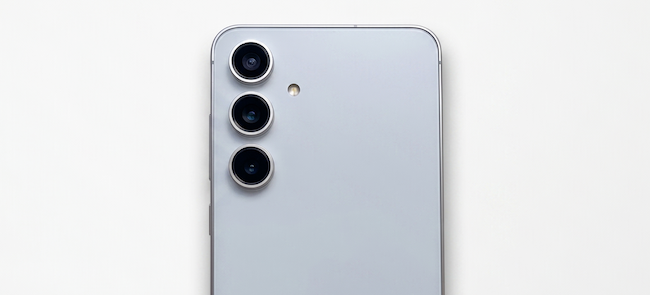
Image: Jessica Santero | WhistleOut
The S24 FE's camera is sharper and more vibrant than I expected for the price, and it holds up well against Apple's non-Pro 16 lineup. Color processing on the Samsung feels alive in a way that Apple's photography hasn't quite matched on its standard models. And the 3x optical zoom is scarily good, with detailed images at a distance that the iPhone 16's 2x optical zoom can't come close to.
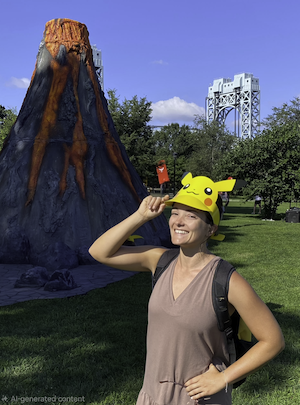
The best part of the S24 FE's camera (and Samsung phones in general) is the Object Eraser. Tap on anything in the background of a photo—like a stranger walking through the frame, a bin that ruins an otherwise clean shot, a parked car you didn't notice until after you took the picture—and the Eraser removes it perfectly in a matter of seconds. For anyone who edits photos regularly, it is one of the most practical reasons to consider making the switch.

Images: Jessica Santero | WhistleOut
Apple has its own AI photo tools now, and the iPhone 16 Pro's camera system boasts cinematic quality. But the difference is that the Pro starts at $999, while the S24 FE delivers a comparable experience for $400. That price gap is difficult to argue away.
3. More customization with the Galaxy Themes Store (My icons are swimming ducks)
This is the section I know sounds ridiculous, but bear with me, because this is actually one of the things that sold me most completely on Android.
Not only does the Galaxy Themes Store let you change your wallpaper, but it also lets you completely personalize the look and feel of your phone. That includes fonts, always-on display styles, system color palettes, and full icon redesigns for every app.
I found a free design pack that turned my app icons into animated swimming ducks, which is both absurd and charming in equal measure. But it's exactly the kind of joyful quirks Apple would never allow through its own ecosystem. After 16 years of the same rigid grid layout with minor color tint options, having full control over how my phone looks and feels is something I did not know I was missing until I had it.
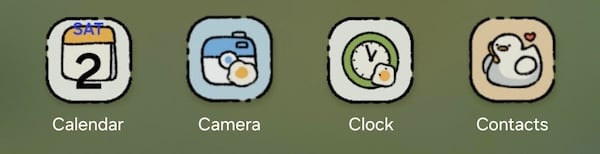
Image: Jessica Santero | WhistleOut
Apple's iOS has made some moves toward personalization over the years, including customizable home screen widgets, a wider range of tint options, and liquid glass—but Android already sits leaps and bounds ahead.
5 advanced features Android users love (and I now do too)
Android navigation is logical and intuitive
The universal back gesture on Android (a simple swipe of the thumb from left to right or right to left) is incredible. Simple but practical, it's a gesture that's already become a part of my muscle memory. On iOS, finding the back button often means hunting for a small label in the top-left corner of the screen, or even the good ol' half-down scroll to see your options.
After switching back to iPhone, Reddit user u/lostoniphone26 on r/applesucks was shocked Apple hadn't already come up with an equivalent, stating, "The lack of a universal back gesture is driving me insane. On my old S23, I could swipe from either side to go back regardless of what app I was in. iPhone requires me to reach for a tiny 'Done' or 'Back' button in the top left corner. It feels like I'm using a phone from 2010."
Software preferences: iOS vs. Android OS
Keeping your iPhone's software up to date is a constant battle. I went years resisting the latest updates, which were usually riddled with bugs and glitches (not to mention the amount of storage they required). But Android devices update easily and only get better with each new version. Plus, Android devices last you longer since the phone software is supported longer than an iPhone's iOS.
If you want to understand where each platform currently stands, you can read about the latest version of iOS and the latest Android OS version. And if you've been putting off that iPhone update, check out how to update your iPhone to the latest iOS.
Android manages and categorizes your notifications
Android groups notifications by priority, surfaces what actually matters, and lets low-priority alerts sit quietly in the background without lighting up your screen or interrupting what you're doing. It doesn't just notify you with every single alert in chronological order. After years of iOS notifications that felt like a relentless, undifferentiated stack, Android quickly won me over.
I'm not the only one who prefers Android's notification sophistication. u/stayingonandroid described the difference on the subreddit r/Android, by saying, "Android notifications are actually useful tools, not just a list of things to delete. The way it groups my work emails separately from my junk and lets me 'minimize' low-priority alerts so they don't even wake the screen is miles ahead. On iOS, it feels like a junk drawer."
Universal file management across devices, hallelujah
Plugging an Android phone into a computer and dragging files directly between the two is something Apple users will never understand. iOS hasn't managed to replicate this Android feature with its Files app. On my iPhone, moving files between apps or onto a computer is headache-inducing. And I know all about AirDrop—it's not the same and never will be.
If you've ever wrestled with iOS permissions, u/androidworkflow knows your struggle: "Being able to just plug my phone into my PC and drag and drop folders like a real computer is a massive time saver. The iOS 'Files' app is a joke. On Android, if I want to organize my downloads into a specific project folder, I just do it."
Still want an iPhone? Here's how to save on the newest models
iPhone isn't for me, but you might still love Apple. If it's time for an upgrade, just remember you don't have to pay full price for the latest flagship designs.
Check out the best iPhone deals on the market.
iPhone 16 128GB
- 6.1 inch display
- Rear Cameras: 48MP, 12MP
- Front Camera: 12MP
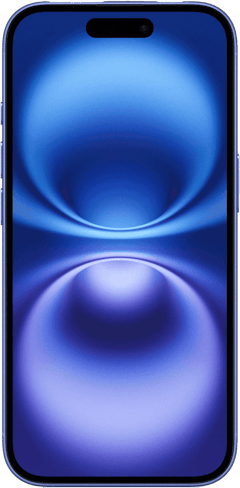
iPhone 18 Pro 256GB
- 6.3 inch display
- Rear Cameras: 48MP, 48MP, 48MP
- Front Camera: 18MP
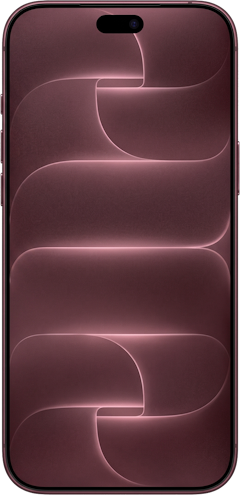
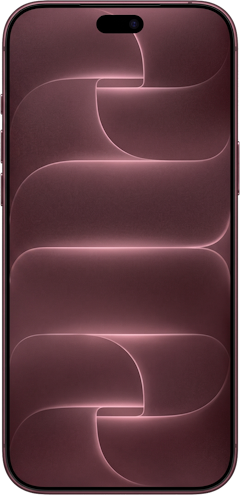
iPhone 18 Pro Max 256GB
- 6.9 inch display
- Rear Cameras: 48MP, 48MP, 48MP
- Front Camera: 18MP
Android's smarter network switching
My iPhone 11 had a persistent habit of clinging to the home Wi-Fi signal long after I had walked out the door, leaving me with an effectively dead data connection. But it isn't just me either. My brother's iPhone 16 Pro has the exact same problem.
The S24 FE has no problem switching networks. It identifies the stronger connection and switches between Wi-Fi and cellular without any delay.
Spam call detection saves my naptime
Samsung's built-in spam filter has intercepted more unwanted calls in three months than iOS's Silence Unknown Callers feature managed across three years of daily use. Calls that would have slipped through to voicemail on my iPhone are identified, flagged, and blocked before my phone rings—which has made a noticeable difference to how often I am interrupted during the day. And with the newest Android 17 update, my phone will even screen calls for me, which has been a lifesaver.
2 iPhone features I'll miss
I'd be doing you a disservice if I made this sound like a perfect switch. There are real frustrations on the Android side, and a couple of them really annoyed me.
Apple's Face ID is one of the things I didn't expect to miss, but I do. It's fast, it works in the dark, and it works at an angle. Samsung's face unlock works, but it's noticeably slower and less reliable in low light. When face unlock doesn't work, you're back to drawing your connect-the-dots passcode on a grid, which feels like a step backward.
Samsung Pay is finicky, and Face Unlock isn't as good as Apple's Face ID.
Apple Pay is the other thing I took completely for granted, and I only realized how good it was once I didn't have it. On the S24 FE, I have both Samsung Pay and Google Pay as options, and neither comes close to replicating that experience. Samsung Pay has broader terminal compatibility in theory, but I've found it finicky in practice, and Google Pay has failed me at checkout more times than Apple Pay ever did.
Part of the problem is how Android handles NFC payment defaults between multiple apps. It's a setting that shouldn't require any thought, but it does, and the user ends up dealing with the frustration.
How switching from iPhone to Android works
I put off switching for a long time because I was comfortable with my iPhone. The idea of losing a decade of photos (since I didn't have a regular backup), voice memos, contacts, and app data was daunting. But I'm happy to report that the actual transfer (once I finally committed to it) was super simple.
Samsung's Smart Switch app essentially does everything for you. All I had to do was download the app on my new Android, and connect the two phones with a cable (which in my case was the old iPhone end to Type-C). The whole process took around 20 minutes for a phone with several years of data on it.
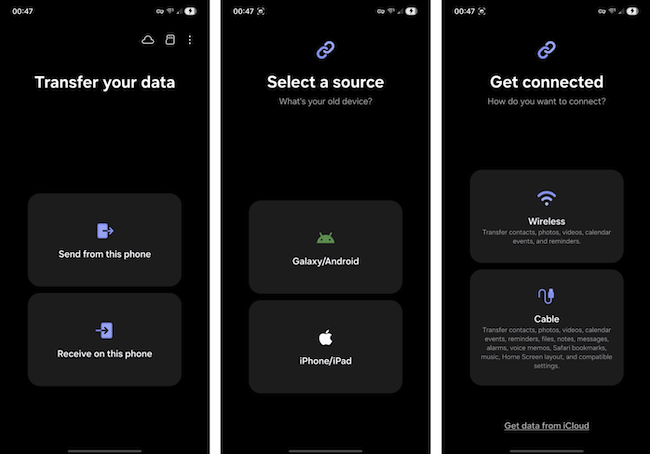
Image: Jessica Santero | WhistleOut
However, with a major device change like this, you won't be able to keep everything. Apps themselves don't carry over, since Android and iOS use different stores, so I needed to reinstall some of them manually—and log into all of them once again. Any paid apps you purchased on the App Store don't transfer either (adios to my accidental subscription to Breathwrk). If your photos are stored in iCloud rather than on the device itself, they won't move automatically either—so make sure to request a data transfer directly from Apple.
Apple's iMessage keeps your phone number
The biggest hiccup in the switching process was Apple's fault. I always thought that when I moved a SIM card (or eSIM nowadays), my number came with it, but Apple proved me wrong. iPhones trap your phone number in iMessage, and you have to deactivate the Messages app (with your active SIM card) in order to switch to a new device. You have to literally rescue your phone number from Apple before switching, otherwise you won't be able to use Google Messages.
Will I ever go back to iPhone? Definitely not
I still use a MacBook and an iPad, but I'll never go back to the trifecta of Apple products. After 16 years with Apple, I needed my phone to do more than it was doing. I honestly think the hype about iPhones is solely in the brand name. I will say, the S24 FE is fantastic, but I do wish I'd have gone with the latest Samsung Galaxy Ultra for even more power.
Not sure where to start in the world of Android? Check out our ultimate guide to Android phones to learn more.
Feeling inspired? Switch to Android today
I regret buying into the iPhone hype. If you aren't happy with your Apple device, you might as well make the switch too. Not sure where to start in the world of Android? Check out our ultimate guide to Android phones to learn more.
Check out the most popular Android phones below:
Moto G 5G (2026) 128GB
- 6.7 inch display
- Rear Cameras: 50MP, 2MP
- Front Camera: 32MP

Galaxy A26 5G
- 6.7 inch display
- Rear Cameras: 50MP, 8MP, 2MP
- Front Camera: 13MP
Galaxy A27 5G 128GB
- 6.7 inch display
- Rear Cameras: 50MP, 5MP, 2MP
- Front Camera: 12MP
My Android upgrade: FAQ
Why is Android better than iPhone?
Android offers better customization, a file transfer system, and hardware features. Plus, Android phones are usually cheaper than iPhones. I personally think Androids are much better than iPhones.
What are the top three phones right now?
The top phones right now are the Samsung Galaxy S26 Ultra, the iPhone 17 Pro Max, and the Google Pixel 10 Pro.
Why is the Samsung Galaxy better than the iPhone?
The Samsung Galaxy is better than the iPhone because it offers a more vibrant display, stronger multitasking tools, and the Galaxy Themes Store. It allows for total interface personalization that iOS does not support.
Is the Samsung Galaxy S24 FE worth buying?
Yes, for most people. The S24 FE delivers a flagship-quality display, a strong camera system, and a large battery at a price well below what Apple charges for equivalent hardware.
It's one of the better value options in the current Android market, and you can read a full breakdown of whether the S24 is worth the upgrade before you decide.
Jessica Santero
Staff Writer

Thousands of cell phone plans unpacked. All the facts. No surprises.





.png?w=280&h=280&usm=20&usmrad=0.8&fit=crop "The Best Cheap Phone Plans for 2026: We Tested Them All to Help You Save")


