
Cloud storage services offer a secure, accessible place to store important digital files, whether you're saving your beloved family photos, backing up your artistic work, or staying connected with your team when you're out of the office.
But the "cloud" is not just a single place. It's actually a series of data servers owned by various companies, each with its own pricing, security policies, and apps. The best cloud storage depends on things like how much data you need, which ecosystem you prefer, and how much security you need.
Our picks for the best cloud storage services include:
- Google Drive: Best for casual users
- OneDrive: Best for Microsoft 365 users
- Proton Drive: Best for security
- Dropbox: Best for working from home
- iCloud: Best for Apple users
- pCloud: Best for photographers, illustrators, and other creatives
What is cloud storage?
Cloud storage is a way to store your digital photos, videos, documents, and other files online, rather than on your own physical hard drive. However, "online" might be a bit of a misnomer here, because actually what you're doing is storing them in the data warehouses of a company, like Microsoft or Proton.
The beauty of cloud-based storage services is that you can access your files through almost any device (e.g., phone, tablet, computer) as long as you have an internet connection.
The best cloud storage services
Best cloud storage services compared
| Service | Plans | Top features | Drawbacks | Best for... |
|---|---|---|---|---|
| Google Drive | 15GB free $1.99–19.99/mo. for 100GB–5TB |
|
Some privacy concerns | Casual users |
| OneDrive | 5GB free $1.99–12.99/mo. for 100GB–6TB |
|
Sometimes frustrating updates | Microsoft 365 users |
| Proton Drive | 5GB free $4.99–19.99/mo. for 200GB–2TB |
|
Pricier | Security |
| Dropbox | 2GB free $11.99–30/mo. for 2TB–15TB |
|
Some issues with Apple syncing; not cheap | Working from home |
| iCloud | 5GB free $0.99–9.99/mo. for 50GB–2TB |
|
Expensive; doesn't work well with non-Apple users | Apple users |
| pCloud | 2GB free $4.99–29.99/mo. for 500GB–10TB $199–1,190 for lifetime plans |
|
Not the cheapest monthly plans | Photographers, illustrators, and other creatives |
Best cloud storage for casual users: Google Drive
If you're not particularly concerned about digital security and you just want to upload a few photos, documents, or movies to the cloud so that you can easily share them with others, Google Drive is a great way to go.
What makes cloud storage on Google Drive so simple is that many people are already somewhat integrated into Google's app ecosystem. If you have a Gmail account, it's very easy to start storing and sharing things on Drive without even signing up for an additional service.
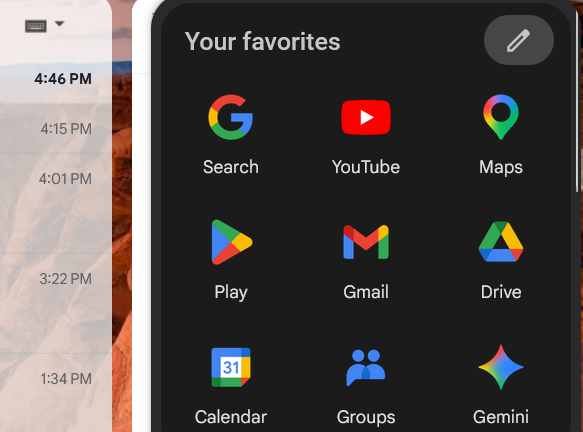
Image: Easton Smith
Google Drive offers one of the best free cloud storage plans, giving you a full 15GB. And even the paid plans are pretty affordable, ranging from $1.99–19.99/mo. for 100GB–5TB of cloud storage.
I've used Google Drive for years to store writing assignments and other simple files. However, due to Google Drive's ambiguous privacy policies (specifically around how they might use your files to train AI), I switched over to other cloud storage solutions for my most important files.
Other options for casual users
- Dropbox: Dropbox is a reliable, easy-to-use cloud storage option with strong sync performance, broad device support, and useful collaboration features. It works well on all operating systems (Windows, Mac, Linux, iOS, and Android) and connects with a wide range of apps (Slack, Zoom, Adobe, etc.). Just note that its 2GB free tier and higher-than-average pricing compared to options like Google Drive and OneDrive may give casual users pause, particularly those already invested in a Microsoft or Google ecosystem.
- OneDrive: OneDrive is a natural fit for anyone already using Windows or Microsoft 365, offering strong Office integration and solid value, especially since 1TB comes bundled with a Microsoft 365 subscription. Its free tier is also more generous than Dropbox, with 5GB free compared to Dropbox's 2GB. However, its sync reliability and experience outside the Microsoft ecosystem can fall short for users on other platforms.
- iCloud: iCloud is the obvious choice for those already in the Apple ecosystem, offering effortless device backup, photo syncing, and affordable storage tiers (50GB for just $0.99/month is a steal). Storage plans can also be shared across family members. But its limited cross-platform support and modest free tier make it a poor fit for anyone outside of Apple's world or working across mixed devices.
FYI: Many cell phone plans offer free cloud storage
All three of the major carriers—AT&T, T-Mobile, and Verizon—offer free cloud storage on select plans. Other MVNO carriers, like Cricket, also offer this perk. Check with your carrier to see if you qualify!
Best cloud storage for privacy: Proton Drive
If you're concerned about digital privacy, then you might have already heard about Proton. The company is known for offering a whole array of services, from email to VPN, that are protected by the highest tiers of encryption and online security.
Proton's cloud storage plans are robust. Every single file that you upload will be fully encrypted. The company's free plan is actually the cloud storage system I use to store my most beloved creative endeavors. It's nice to know that no third-party apps are training their large language models on my writing.
With Proton Drive, it's easy to access my files on my desktop, my phone, or any other device. I can sync them in real time, so I know everything is always backed up should I experience a sudden computer malfunction. Proton even offers OCR functionality for all the files I upload, making documents easy to search.
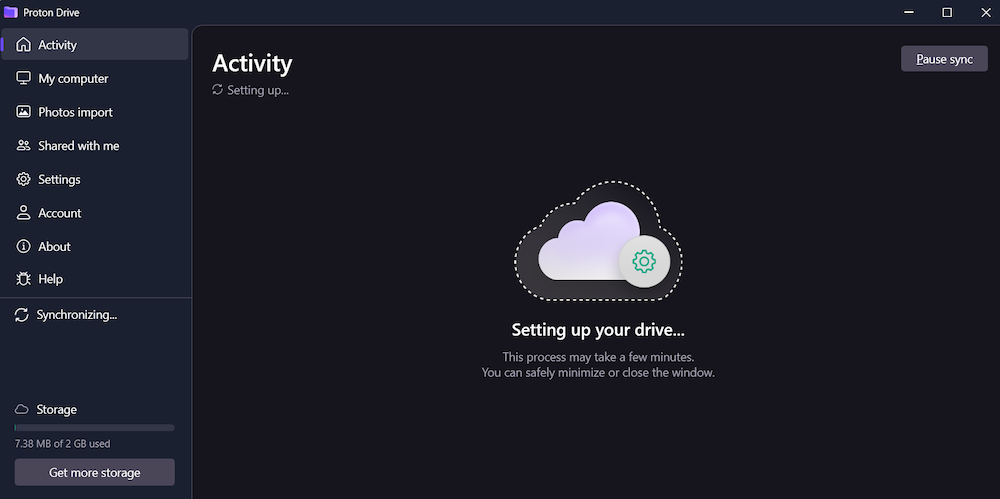
Image: Easton Smith
While I'm not particularly worried about this, it is nice to know that, if anything strange should happen in my life, my files are protected by strict Swiss privacy protection laws.
All of Proton's privacy features make it the ideal cloud storage for personal use and for delicate business use. If you have clients or business partners who are worried about keeping things confidential, they'll be relieved that you're using Proton.
Best cloud storage for photographers, filmmakers, and other creatives: pCloud
Proton Drive's free plan is great for me because I don't need to store many big files. But, if you're a professional photographer or filmmaker—or you have other work that requires a lot of digital file storage—you'll want something different. We recommend pCloud.
While there are plenty of cloud storage companies that offer a decent rate on paid plans (IDrive has the lowest price-per-GB we've found), pCloud offers something special: lifetime plans.
If you've ever stored something on a physical external hard drive, you might know the feeling of trying to access it five years later, only to find that it's inexplicably broken. Something similar can happen with cloud storage. Some companies will close free accounts due to inactivity. And, if you stop paying for a premium plan, no one is going to store several terabytes of information indefinitely.
But pCloud's lifetime plans give you peace of mind. Pay once ($199–1,190), and you know that, no matter what happens, your important files will be safe forever. Or at least until long after you're gone. While the plans are pricey, if you divide the price by 100 months or more, you'll start to see the savings.
Cloud storage alternatives
By no means do you have to store your files on the cloud. If you want the ultimate privacy, or you just don't want to bother with the internet, there are other options for digital storage, such as:
- Local storage: Your computer, phone, and other devices will likely have some amount of local storage. This can range from 50GB to 1TB or more. You might even be able to hold all of your photos and other documents on your computer, but just be careful. If your device is ever lost, stolen, or totally busted, you might lose everything.
- External hard drives: These used to be the gold standard for backing up your data. External hard drives are devices (often smaller than a smartphone) that let you store tons of data. They can range from tiny USB sticks with 1GB to relatively large 10TB boxes. They're great for photos, videos, and other large files. However, one big issue with external hard drives is that they can get lost, break, or even become incompatible with newer technology over time.
- Network-attached storage (NAS): NAS devices are essentially large external hard drives you can connect to a local network. This makes them easy to access from multiple devices at once. It's almost like cloud storage, but instead of being online, it's contained to a wired network. These are ideal for offices that want to stay connected while maintaining the highest levels of security.
Pros and cons of cloud storage
Pros:
- Access files anywhere and anytime
- Free storage (up to a point)
- No additional physical hard drive required (just an internet connection)
- Pay for what you need
- Built-in productivity and security tools
Cons:
- Not as secure as a physical hard drive
- Can get expensive (vs. a one-time purchase of a hard drive)
- Needs an internet connection to sync with devices
- You can lose your data if you don't stay active with your payment and account
Cloud storage FAQs
Do Amazon Prime members get free cloud storage?
Yes, Amazon Prime members get free cloud storage, but only for limited uses. Prime members can store unlimited photos and up to 5GB of videos. If you want to store other file types, you'll have to use another service.
What is the best free cloud storage?
The best free cloud storage for most people is Google Drive, as it's easy to use and you get a healthy 15GB for free. However, if you're concerned about privacy, you might want to try another service, like Proton, which offers 5GB of free storage.
What is the difference between cloud storage and cloud backup?
Cloud storage refers to any data that you store on an external server that's then accessed online. Cloud backup generally refers to a specific device that is "backed up" on the cloud. This usually means that the entire contents of a phone or a computer—including its settings—are regularly synced or backed up on a cloud server. A backup like this makes it easy to "restore" your device if something happens to it.
How much cloud storage do I need?
The amount of cloud storage you need depends on what you're using it for. Most casual users only need a few gigabytes of cloud storage for important documents and beloved photos. But if you want to back up every photo and video you take, or if you have a job that involves large files, you might want 100GB of cloud storage or more.
How much data can I store in the cloud?
Hypothetically, there's no limit to how much data you can store in the cloud. Services like Dropbox and Google Drive can provide hundreds of terabytes for you to store your data, but you will have to pay for them.
Lauren Hannula
Managing Editor

Thousands of cell phone plans unpacked. All the facts. No surprises.


.png?w=160&h=160&usm=20&usmrad=0.8&fit=crop "Cell Coverage Near You: Who Has the Best 5G Network?")





.png?w=280&h=280&usm=20&usmrad=0.8&fit=crop "The Best Cheap Phone Plans for 2026: We Tested Them All to Help You Save")


