

One of the most important things to consider when selecting a smartphone is storage. Indeed, you may be asking yourself, “How many GB of smartphone storage do I need?” The answer to this question depends in large part on how many apps, pictures, and music files you typically store on your device. This article will help you figure out how much internal memory—i.e. GBs—you need in a device, helping you make an informed buying decision.
Note: if you're looking to buy a phone with more internal storage, check out WhistleOut's very own phone finder tool.
What Does GB Mean?
GB is an abbreviation for gigabyte, which equals 1,024 megabytes (MB). One GB is 1 billion bytes of data. 1,000GB is a terabyte (TB) of storage space. Devices with more GB or TB can store more and larger files. For reference, 1GB of music is about 250 MP3 files or around 50 high-quality pictures. An hour-long 4K ultra-high-definition (UHD) video is nearly 14GB.
How Much Phone Storage Do I Need?

Required mobile device space varies based on your specific habits. For instance, mobile games take up more internal memory than pictures and videos.
32GB–64GB
Most budget phones—and even some more expensive ones—start with 64GB of device storage. Some cheaper handsets begin with 32GB. While 32GB or 64GB might sound like a lot, it may be insufficient if you tend to store a fair amount of games, music or photos and videos on your phone. That’s because your phone’s operating system (OS) and default apps take up a decent chunk of internal memory. You can download apps, capture photos, and shoot some high-resolution videos. There’s not much room for games unless you stick to light titles (think Candy Crush).
Many budget Android phones allow for external SD card expansion, which lets you offload apps to a microSD. For instance, the OnePlus Nord N200 lets you add up to 1TB of additional space. By comparison, the iPhone SE 2022 is capped at 64GB and not expandable—the only way to get more space is by stepping up to a larger storage tier or leveraging cloud services like iCloud.
Generally, 64GB is the baseline we recommend for light phone use, but a microSD card gives you some headroom.
Best for: Casual users
iPhone SE (2022) 64GB

| Description | |
|---|---|
| Screen Size | 4.7" |
| Available On | 23 Plans from 3 carriers |
| Available From |


|
| Priced From | $5 per month + $198 upfront |
| View Full Details |
 2022 version of the iPhone SE features 5G connectivity, a powerful A15 Bionic chip, 4.7" Retina HD Multi-Touch display, 12MP rear camera, 4K video recording and home button with Touch ID

128GB
Stepping up to a 128GB storage option is great for the average person that needs a device for taking photos, streaming music, and checking their email. In fact, 128GB is the standard for midrange Android and iPhone storage options. You can download virtually all of the apps you want, install a few games, and snap pictures or videos liberally.
I installed a handful of games on my 128GB OnePlus 10 Pro, with ample room left for photos, videos, and other apps.
Best for: The average user
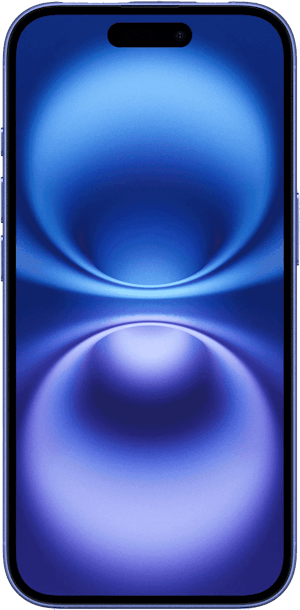
iPhone 16 128GB
| Description | |
|---|---|
| Screen Size | 6.1" |
| Available On | 160 Plans from 17 carriers |
| Available From |


|
| Priced From | $829.99 upfront |
| View Full Details |
 Apple's 2024 model featuring their new Apple Intelligence with the custom-built A18 Bionic chip and the new iPhone 16 camera system.
256GB
For more Android or iPhone GB, 256 lets you install many apps, take tons of photos, and record videos for Instagram without worrying about running out of space. You’ll have plenty of room for larger applications like mobile games.
We recommend 256GB iPhones and Androids for budding photographers, digital nomads, and casual gamers. This is a good storage option if you regularly work from your phone and download lots of files or apps.
Best for: Moderate users
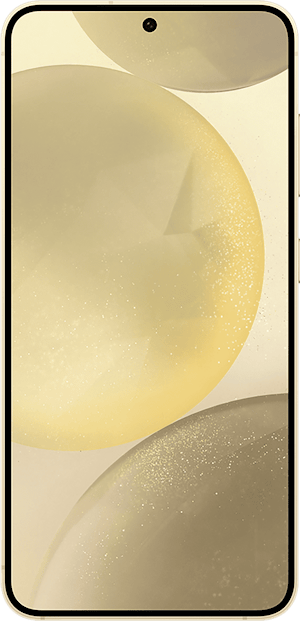
Samsung Galaxy S24 5G 256GB

| Description | |
|---|---|
| Screen Size | 6.2" |
| Available On | 8 Plans from 1 carrier |
| Available From |
|
| Priced From | $10 per month + $899 upfront |
| View Full Details |
 Samsung’s 2024 Galaxy series phone with new mobile AI, upgraded cameras, longer lasting battery, and QHD+, the highest screen resolution available.
512GB
With 512GB of storage, you can hold your media collection of music files, big games, and high-resolution pictures or videos. Multimedia buffs and serious gamers will appreciate the extra capacity. For instance, on my Pixel 6 Pro, I’ve got a sizable collection of MP3 music files, several large games installed, and way too many pictures of my dog. That still leaves over 400GB free for file storage.
Best for: Media enthusiasts and gamers
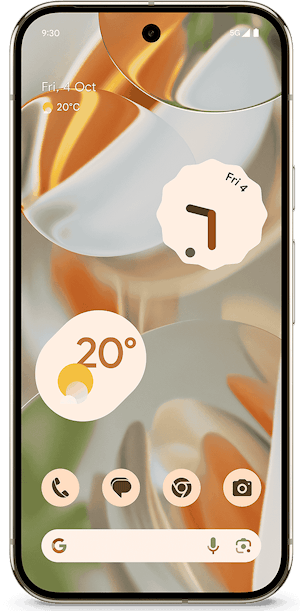
Google Pixel 9 Pro 512GB

| Description | |
|---|---|
| Screen Size | 6.3" |
| Available On | 0 Plans from 0 carriers |
| Available From |
|
| View Full Details |
 Google's 2024 model featuring the most advanced Pixel camera and Google AI powered by Tensor G4, with Gemini, 50MP triple rear camera system, 42MP selfie camera, 6.3" LTPO OLED display with 120Hz and Android 14
1TB
Folks looking to carry around their entire digital life should snag a 1TB handset. As one of the largest Android and iPhone storage sizes, you’ve got a whopping 1,000GB of internal memory. A 1TB capacity phone is great for hardcore gamers who want to install large applications. Music junkies can carry around their own personal Spotify’s worth of MP3 files. And amateur photographers enjoy more than enough space for capturing high-quality videos and pictures.
Best for: Power users and serious gamers
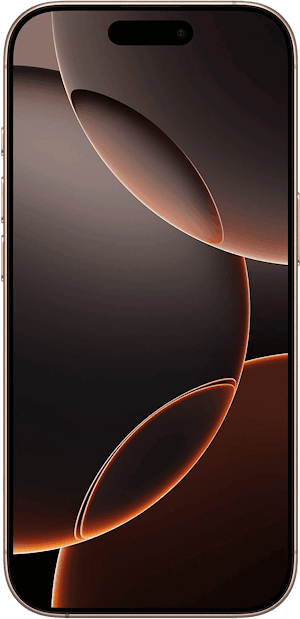
iPhone 16 Pro 1TB
| Description | |
|---|---|
| Screen Size | 6.3" |
| Available On | 42 Plans from 4 carriers |
| Available From |
|
| Priced From | $10 per month + $1,399 upfront |
| View Full Details |
 Apple's 2024 model featuring a titanium body, their new Apple Intelligence with the custom-built A18 Pro chip and the new iPhone 16 camera system.
How to Increase Phone Storage Capacity
Are you running out of internal memory? Here are some ways you can increase your phone’s storage capacity.
microSD card: A memory card slot lets you easily add up to 1TB of external storage to hold your music, apps, and pictures. However, most modern mid-range and flagship phones lack expandable storage, which is more common on budget handsets.
USB OTG: Mobile devices with USB On-the-GO (OTG) support can read USB data directly. Therefore, you can plug in OTG storage like flash drives. Whereas internal memory cards offer more permanent storage solutions, USB OTG is better for occasional use, like viewing pictures and documents when desired.
Cloud storage: Cloud-based services like Google Drive and iCloud storage let you back up files from your phone. Once synced to the cloud, you can safely delete data, freeing up valuable internal storage space.
Deleting apps and clearing your cache: Removing unused apps and clearing app caches increases your storage capacity. However, this isn’t always possible since some installed apps can’t be fully deleted.Best Phones for Storage
Our favorite phones with high storage space include the iPhone 16 Pro Max, Google Pixel 9 Pro, and Samsung Galaxy S24. Check out some great 128GB and higher storage handsets below:
Moto G 5G (2026) 128GB
- 6.7 inch display
- Rear Cameras: 50MP, 2MP
- Front Camera: 32MP

Galaxy A26 5G
- 6.7 inch display
- Rear Cameras: 50MP, 8MP, 2MP
- Front Camera: 13MP

Galaxy A27 5G 128GB
- 6.7 inch display
- Rear Cameras: 50MP, 5MP, 2MP
- Front Camera: 12MP

Galaxy A37 5G 128GB
- 6.7 inch display
- Rear Cameras: 50MP, 8MP, 5MP
- Front Camera: 12MP

Edge (2026) 128GB
- 6.3 inch display
- Rear Cameras: 50MP, 50MP, 10MP
- Front Camera: 50MP

How Many GB of Smartphone Storage Do I Need: FAQs
How much storage space do I need?
Most folks need 128GB or 256GB of phone storage space which is enough for regular app downloads, picture taking, and video shooting. Power users like gamers should opt for 512GB to 1TB, while casual users will be fine with 64GB.
How much storage space do I have?
You can check how much storage space you have on Android by heading to Settings > Device Maintenance > Storage. On iOS, navigate to Settings > General > iPhone Storage.
What is space on a phone?
Space on a phone is the available internal memory for holding an operating system, apps, and assorted files like pictures.
How do I free up space on my phone?
You can free up space on your phone by offloading unused apps to a microSD card or cloud storage, uninstalling apps, deleting old files, and clearing your phone’s cache.
Does deleting text messages free up space?
Yes, deleting text messages does free up storage space on your phone.
Moe Long
Senior Writer

Thousands of cell phone plans unpacked. All the facts. No surprises.





.png?w=280&h=280&usm=20&usmrad=0.8&fit=crop "The Best Cheap Phone Plans for 2026: We Tested Them All to Help You Save")


