
H2O Wireless is an AT&T MVNO (mobile virtual network operator) that provides cheap mobile service on AT&T’s extensive 4G LTE and 5G networks. As an affordable alternative to a traditional carrier, H2O Wireless offers several unlimited data plans to suit your data needs, starting at only $20/month.
When you swap to H2O Wireless, you decide whether to buy a new phone with your new line or port in your old number and bring your own phone. Make sure your phone is unlocked and compatible with AT&T’s network before you make the switch, though.
Switching to H2O can help you save on your monthly bill, without contracts or long-term commitments. The combination of AT&T’s network quality and H2O’s budget-friendly pricing makes it an appealing choice to save money and still have a network you can rely on.
How to switch to H2O Wireless
Switching to H2O Wireless is as easy as signing up if you don’t want a new device. When switching carriers, H2O Wireless lets you save money by bringing your own device (BYOD) to one of its plans—with the same phone number too. Before making the switch, double-check your phone meets these requirements:
- Check your phone is compatible with H2O Wireless’ network.
- Unlock your device from your current carrier.
H2O Wireless phone compatibility
Before making the switch, confirm your device is compatible with H2O Wireless. You can use H2O's online compatibility checker by entering your phone's IMEI number, located under your device’s settings.
In general, most modern smartphones function on H2O's service since it operates on AT&T's network. However, your data speed may be affected by which phone you use. Since all of H2O’s plans include 5G data, newer 5G-capable phones will naturally access faster speeds when in range of 5G coverage.
H2O provides both physical SIM cards and eSIM options for convenient activation, giving you flexibility in how you set up your service.
Bring your AT&T phone to H2O Wireless
Pro tip: Since H2O Wireless runs on AT&T's network, current AT&T customers will likely find their devices already compatible. Although H2O uses AT&T's cell towers to provide service, they operate as separate providers. You'll need to settle any remaining balance on your AT&T device before switching to H2O Wireless from AT&T.
If you want to keep your number, you'll need to obtain a transfer PIN from AT&T to port in the number as part of the process. This security measure helps ensure a smooth transition of your existing phone number to H2O Wireless service (no one but you can get a new account with your phone number).
Unlock your phone before switching
Cellular carriers won’t let you take a device to another provider without okaying it (or “unlocking it”) first. Unlocking policies vary by provider; some carriers, such as T-Mobile, automatically unlock devices after certain conditions are met, while others require more steps, like AT&T’s unlocking request.
Most carriers will unlock your device if you meet these requirements:
- Your phone is fully paid off.
- Your account is in good standing with no outstanding balances.
- Your phone hasn’t been reported lost or stolen.
- Your phone was active on your previous carrier's network for a minimum period (usually 60 days).
Each carrier has specific unlocking policies available on its official website, so check out your carrier’s unlocking requirements before you start to switch.
Even when your phone qualifies for unlocking, you might need to contact your carrier's customer support to complete the process. Many providers make this process easy with self-service unlocking options through their mobile apps or online websites.
How to switch to H2O Wireless and bring your own phone
Once you know your phone is compatible and unlocked, switch to H2O Wireless with these steps:
- Purchase a new plan with H2O Wireless and select to port in your current number.
- Activate your SIM by either
- Inserting your H2O Wireless SIM card; or
- Installing your eSIM into your device.
- Cancel your old phone plan once your coverage is confirmed.
Phones compatible with H2O Wireless
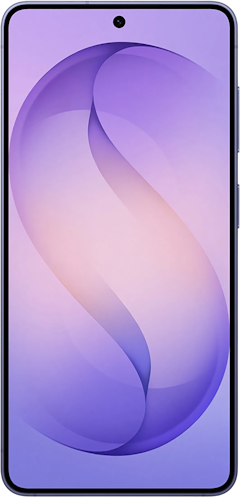
If you don’t love your current phone, you can opt to buy or finance a new one through H2O Wireless. Choose from a wide selection of compatible devices through H2O Wireless’ store, including both new and refurbished iPhone and Android smartphones at competitive prices.
Check out some of the most popular compatible devices below:
Moto G 5G (2026) 128GB
- 6.7 inch display
- Rear Cameras: 50MP, 2MP
- Front Camera: 32MP

Galaxy A27 5G 128GB
- 6.7 inch display
- Rear Cameras: 50MP, 5MP, 2MP
- Front Camera: 12MP

Galaxy A37 5G 128GB
- 6.7 inch display
- Rear Cameras: 50MP, 8MP, 5MP
- Front Camera: 12MP

iPhone 16 128GB
- 6.1 inch display
- Rear Cameras: 48MP, 12MP
- Front Camera: 12MP

Galaxy S26 5G 256GB
- 6.3 inch display
- Rear Cameras: 50MP, 10MP, 12MP
- Front Camera: 12MP

Finance your phone through H2O Wireless
H2O Wireless doesn’t directly offer device financing, instead offering customers a third-party solution through Affirm. While H2O doesn't handle the financing directly, this option provides flexibility if you prefer spreading out your device payments.
H2O cell phone plans
Picking the correct plan with H2O Wireless depends on your personal data needs and what features you want in your phone plan.
H2O Wireless offers a range of plans:
You can even snag H2O Wireless’ service at a steep discount with its occasional multi-line promotions, such as three lines of its $50/month plan for only $75/month. That brings the price per line down to $25/month, half the usual price.
H2O Wireless’ unlimited phone plans
All of H2O Wireless’ unlimited plans get you unlimited talk, text, and data, as well as:
- Hotspot data
- 5G network access
- Unlimited talk and text to 100+ countries from the United States
- Monthly roaming credits to use while abroad (that do not rollover to the next month)
Here’s how H2O Wireless’ unlimited phone plans compare:
H2O Wireless’ unlimited phone plans
| Plan name | Premium data | Hotspot data | Price | Learn more |
|---|---|---|---|---|
| $30 Unlimited + 5GB Hotspot | 30GB | 5GB | $30/month | View Details |
| $40 Unlimited + 10GB Hotspot | 40GB | 10GB | $40/month | View Details |
| $50 Unlimited + 15GB Hotspot | 60GB | 15GB | $50/month | View Details |
| $60 Unlimited + 20GB Hotspot | 60GB | 20GB | $60/month | View Details |
H2O Wireless’ pay-as-you-go plans
If you don’t need a lot of data since you stick to Wi-Fi whenever possible, H2O Wireless offers bare minimum plans to keep you connected with minutes, messages, and minimal data.
H2O Wireless’ pay-as-you-go plans
| Plan name | Plan length | Price breakdown | Learn more |
|---|---|---|---|
| $10 Pay as you go | 90 days | 5¢ per minute, 5¢ per text, and 10¢ per MB of data | View Details |
| $30 Pay as you go | 90 days | 5¢ per minute, 5¢ per text, and 10¢ per MB of data | View Details |
| $100 Pay as you go | 365 days | 5¢ per minute, 5¢ per text, and 10¢ per MB of data | View Details |
H2O Wireless’ data-only plans
Your phone might not be the only device you bring to H2O Wireless. Data-only plans allow you to keep your tablet connected wherever you go, even without Wi-Fi. If the hotspot included in your H2O Wireless unlimited plan isn’t enough, you can add a data-only plan exclusively for your tablet.
You can choose from multiple data limits:
- $10/month for 2GB
- $20/month for 5GB
- $30/month for 10GB
Technically, H2O Wireless’ data-only plans are also unlimited, but once you reach your premium data allowance, your speeds will be reduced to 256Kbps (just enough to send an email or two).
How to activate your H2O SIM card
Once you sign up for your new H2O Wireless plan, you’ll need to activate your plan with your new SIM card. Your H2O Wireless SIM activation process will differ depending on whether you choose:
- A physical SIM card that you insert into your phone; or
- An eSIM (embedded SIM) that you install wirelessly.
Before you decide which SIM is best for you, make sure your phone is eSIM compatible.
Overall, eSIM activation is quicker, easier, and costs less than a physical SIM. H2O Wireless charges an additional $3.00 to ship you a SIM card, whereas an eSIM is free and can be programmed remotely.
Regardless of your SIM type, you’ll need to verify your SIM with H2O Wireless once you've picked your plan. For physical SIM activation, you’ll need to register and create an account with H2O Wireless and then insert your SIM into your phone.
For eSIM activation, you’ll need to type in your email address, order number, and zip code to verify your purchase. H2O Wireless will then email you a QR code to scan or give you an activation number. All you’ll need to do is scan the QR code (or input the number) under your phone's eSIM settings.
In some cases, you may need to dig deeper into your phone’s settings to confirm your APN (Access Point Name) settings if you can’t immediately access your network data. If so, follow the steps outlined in our H2O Wireless APN settings guide.
Why switch to H2O Wireless?
H2O Wireless offers the widest range of plans among current AT&T MVNOs. You get reliable AT&T network coverage at an affordable price, starting at just $20/month. AT&T's expansive 4G LTE network provides nationwide reach, while its growing 5G infrastructure offers impressive speeds in covered areas.
H2O Wireless is unique among MVNOs due to its mobile hotspot capabilities. While your hotspot speeds slow once you surpass your limit, you’ll still be able to use your phone’s basic functions without a hitch.
For most average customers, switching to H2O Wireless is a great way to keep AT&T coverage at a cheaper price.
Switching to H2O Wireless: FAQ
How do I activate my H2O SIM card?
Your H2O SIM card activation depends on whether you have a physical SIM or an eSIM.
To activate your physical H2O SIM card, register and create an H2O account, then insert your SIM into your phone. Make sure to restart your phone and go under your settings to double-check your SIM is turned on.
To activate your H2O eSIM, go to H2O’s website to verify your eSIM and follow our eSIM activation guide to complete the process. In either case, you might need to modify your phone’s APN settings if you have issues using your data.
How long does it take to switch to H2O?
It takes approximately 1–2 days to switch to H2O Wireless, allowing for time to unlock your phone, port your number, and activate your SIM.
Is H2O Wireless good for international calling?
Yes, H2O Wireless is good for international calling since it includes calls from the U.S. to 100+ different countries, and international calling credits with its unlimited plans.
Which network does H2O Wireless use?
H2O Wireless uses AT&T’s network, meaning you get access to one of the most extensive 5G/4G LTE networks in the nation.
Can I keep my phone number when switching to H2O?
Yes, you can port your existing number to H2O Wireless as long as you keep your current service active until the transfer is complete.
Is my phone compatible with H2O Wireless?
H2O Wireless runs on AT&T's network, so if your phone is unlocked and supports AT&T's GSM bands, you're good to go. If you aren't sure, you can double-check compatibility on H2O's website before you commit.
Jessica Santero
Staff Writer

Thousands of cell phone plans unpacked. All the facts. No surprises.

.png?w=160&h=160&usm=20&usmrad=0.8&fit=crop "How to Switch Phone Carriers and Keep Your Phone and Number")
.jpg?w=160&h=160&usm=20&usmrad=0.8&fit=crop "How to Switch to TracFone and BYOP")





.png?w=280&h=280&usm=20&usmrad=0.8&fit=crop "The Best Cheap Phone Plans for 2026: We Tested Them All to Help You Save")


