
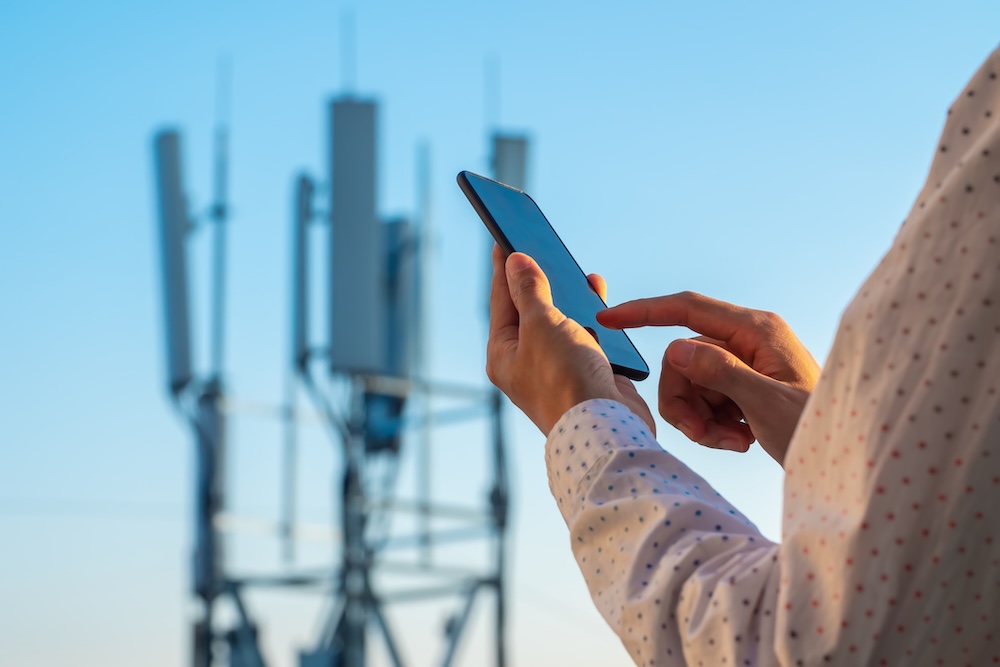
A cellular outage doesn't have to disrupt your connectivity. When major carrier networks are down, your smartphone can still function fully using Wi-Fi or backup communication methods. But before you assume the worst, double-check your network is down and not just reaching your device with a weak signal. That way you can rule out any issues with your device before blaming your carrier. If your service really is down, you won’t be able to make traditional calls, send SMS texts, or use your plan’s data. But our top tips to use your phone without service should cover your digital needs.
Keep reading to learn more about how to use your phone even when service is down.
Confirm a network outage
If your service suddenly drops, or your phone displays “SOS only” where you normally see signal bars, your cell service might be down. When there’s no cell service, what to do depends on whether it’s a network issue or a device problem.
Before you start troubleshooting your smartphone, make sure the issue is a network outage first. You can check your carrier's official app or website for service status updates in your area.
Is cell service down in my area?
For carrier-specific step-by-step instructions on how to confirm a cell phone network outage, use our guides below:
- How to check for an AT&T outage
- How to check for a Verizon Wireless outage
- How to check for a T-Mobile outage
T-Mobile, Verizon, and AT&T aren’t the only carriers that suffer from network technical difficulties. Smaller carriers (MVNOs) that operate on major network towers will also lose service in a widespread outage.
That means T-Mobile MVNOs—like Mint Mobile—won’t have service when the Un-carrier’s network falls. The same goes for Verizon MVNOs such as Visible, and AT&T MVNOs like Cricket Wireless.
SOS mode: Emergency communication without cell service
When your cellular network is down, your phone may display "SOS" or "SOS only." This means your device has lost connection to your carrier's network but can still make emergency calls.
Both iPhones and Android phones have an SOS feature to connect you to emergency services. In fact, iPhone 14 devices and newer have satellite-backed SOS communications for emergency texting where no cellular signals exist.
Use Wi-Fi calling
Wi-Fi calling allows you to make and receive calls and texts over any Wi-Fi network, bypassing a downed cellular connection. This feature is typically included at no extra cost with most modern phone plans and automatically activates when your cellular signal is weak or unavailable. Your phone says no service, but works on Wi-Fi, so you can still communicate.
It’s important to note that Wi-Fi calling is typically free for domestic use, but international Wi-Fi calling comes at a cost. Keep in mind that long-distance Wi-Fi calling incurs charges if it isn’t included in your plan. For most users, Wi-Fi calling is the best lifeline for communication when cell phone service is down.
Make sure Wi-Fi calling is enabled before you need it in an outage. Follow the instructions in our guide to Wi-Fi calling on iOS and Android.Use internet-based apps and services
Move conversations to data-driven messaging apps like WhatsApp, Telegram, or Signal. These alternative communication platforms operate by sending messages and media via cellular data or Wi-Fi when available.
That means you’ll still be able to message and video call during cellular outages. All you need to do is connect to Wi-Fi either at home or at your favorite café. A word to the wise: Consider downloading one or two of these apps now so you can set up your contacts before an outage occurs.
Why is my phone not getting service?
Your phone might not be getting service due to a mobile data problem. If the network is operational, make sure your mobile data is turned on and Airplane Mode is off. You can also try restarting your phone. If your phone still can’t connect to your data, check for a carrier settings update in your phone's system settings.
For more advanced help on how to fix no service on your phone, read through our top troubleshooting tips on why your data isn’t working.Communicate via satellite service
For a reliable backup when terrestrial networks fail, consider T-Mobile's T-Satellite service. Included with its top-tier Experience Beyond phone plan, this feature allows you to send messages via a satellite connection when no cellular signal is available.
Since the service uses a dedicated satellite constellation, your messaging capability remains unaffected by ground-based network outages.
This setup provides crucial peace of mind in remote areas or during emergencies. Plus, you get satellite data to access your top apps like WhatsApp and Google Maps, making it one of T-Mobile's most valuable premium perks.
|
T-Mobile

Experience Beyond 2.0
$100.00/mo
with Auto-Pay + Taxes and fees
|
T-Mobile customers on other plans can add satellite service for an additional $10/month. But you don’t need a T-Mobile plan to snag T-Satellite service.
No matter your carrier, you can activate a T-Satellite-only account for $15/month. That way you’ll always be connected even in an outage.
Switch to a different network
Switching networks during an outage might seem impossible, but some carriers provide a solution through multi-network access.
US Mobile offers network jumping with its Teleportal feature, letting you easily switch between Verizon, T-Mobile, and AT&T networks.
This feature comes with the Unlimited Premium plan at no extra cost. On all other plans, you get two free network transfers, with each subsequent transfer costing $2. If one network experiences an outage, you can quickly jump to another, maintaining your connectivity when other users are left without service.
|
US Mobile

Unlimited Starter Plan
$10.00/mo
|
|
US Mobile
Unlimited Premium Plan
$20.00/mo
|
Use a landline
For emergencies, a traditional landline remains reliable as it operates on a separate network from cellular service. However, not many people have a landline at home. But you probably know someone who does. In that case, pay a visit to family or friends with a home phone if you need to make a call.
What to do without cell service: FAQs
Check out our guide to changing your APN settings. Remember, they are different for each carrier, so make sure you find yours.
Jessica Santero
Staff Writer

Thousands of cell phone plans unpacked. All the facts. No surprises.





.png?w=280&h=280&usm=20&usmrad=0.8&fit=crop "The Best Cheap Phone Plans for 2026: We Tested Them All to Help You Save")


