
Simply Unlimited 140 Mbps
- Typical Download Speed: 142.6 Mbps
- Typical Upload Speed: 21.3 Mbps
- Typical Latency: 7.1 ms
- Monthly Data: Unlimited
- Suitable for 2-5 Users
Simply Unlimited 100 Mbps
- Typical Download Speed: 101.9 Mbps
- Typical Upload Speed: 10.8 Mbps
- Typical Latency: 7.1 ms
- Monthly Data: Unlimited
- Suitable for 2-4 Users
Simply Unlimited 80 Mbps
- Typical Download Speed: 81.5 Mbps
- Typical Upload Speed: 10.8 Mbps
- Typical Latency: 15.3 ms
- Monthly Data: Unlimited
- Suitable for 2-4 Users
Simply Unlimited 60 Mbps
- Typical Download Speed: 61.1 Mbps
- Typical Upload Speed: 5.5 Mbps
- Typical Latency: 18 ms
- Monthly Data: Unlimited
- Suitable for 2-4 Users
Simply Unlimited 40 Mbps
- Typical Download Speed: 40.3 Mbps
- Typical Upload Speed: 3.4 Mbps
- Typical Latency: 19.3 ms
- Monthly Data: Unlimited
- Suitable for 2-3 Users
Simply Unlimited 30 Mbps
- Typical Download Speed: 31.5 Mbps
- Typical Upload Speed: 1.8 Mbps
- Typical Latency: 21.1 ms
- Monthly Data: Unlimited
- Suitable for 1-3 Users
Simply Unlimited 15 Mbps
- Typical Download Speed: 15.9 Mbps
- Typical Upload Speed: 1.8 Mbps
- Typical Latency: 21.1 ms
- Monthly Data: Unlimited
- Suitable for 1-2 Users
Simply Unlimited 10 Mbps
- Typical Download Speed: 10.5 Mbps
- Typical Upload Speed: 1.1 Mbps
- Typical Latency: 30.1 ms
- Monthly Data: Unlimited
- Suitable for 1-2 Users
Simply Unlimited 6 Mbps
- Typical Download Speed: 6.3 Mbps
- Typical Upload Speed: 0.7 Mbps
- Typical Latency: 40.8 ms
- Monthly Data: Unlimited
- Suitable for 1-2 Users
Simply Unlimited 3 Mbps
- Typical Download Speed: 3.5 Mbps
- Typical Upload Speed: 0.7 Mbps
- Typical Latency: 42 ms
- Monthly Data: Unlimited
- Suitable for 1 User
Simply Unlimited 1.5 Mbps
- Typical Download Speed: 1.6 Mbps
- Typical Upload Speed: 0.7 Mbps
- Typical Latency: 47.4 ms
- Monthly Data: Unlimited
- Suitable for 1 User
Simply Unlimited 140 Mbps
- Typical Download Speed: 142.6 Mbps
- Typical Upload Speed: 21.3 Mbps
- Typical Latency: 7.1 ms
- Monthly Data: Unlimited
- Suitable for 2-5 Users
Simply Unlimited 100 Mbps
- Typical Download Speed: 101.9 Mbps
- Typical Upload Speed: 10.8 Mbps
- Typical Latency: 7.1 ms
- Monthly Data: Unlimited
- Suitable for 2-4 Users
Simply Unlimited 80 Mbps
- Typical Download Speed: 81.5 Mbps
- Typical Upload Speed: 10.8 Mbps
- Typical Latency: 15.3 ms
- Monthly Data: Unlimited
- Suitable for 2-4 Users
Simply Unlimited 60 Mbps
- Typical Download Speed: 61.1 Mbps
- Typical Upload Speed: 5.5 Mbps
- Typical Latency: 18 ms
- Monthly Data: Unlimited
- Suitable for 2-4 Users
Simply Unlimited 40 Mbps
- Typical Download Speed: 40.3 Mbps
- Typical Upload Speed: 3.4 Mbps
- Typical Latency: 19.3 ms
- Monthly Data: Unlimited
- Suitable for 2-3 Users
Simply Unlimited 30 Mbps
- Typical Download Speed: 31.5 Mbps
- Typical Upload Speed: 1.8 Mbps
- Typical Latency: 21.1 ms
- Monthly Data: Unlimited
- Suitable for 1-3 Users
Simply Unlimited 15 Mbps
- Typical Download Speed: 15.9 Mbps
- Typical Upload Speed: 1.8 Mbps
- Typical Latency: 21.1 ms
- Monthly Data: Unlimited
- Suitable for 1-2 Users
Simply Unlimited 10 Mbps
- Typical Download Speed: 10.5 Mbps
- Typical Upload Speed: 1.1 Mbps
- Typical Latency: 30.1 ms
- Monthly Data: Unlimited
- Suitable for 1-2 Users
Simply Unlimited 6 Mbps
- Typical Download Speed: 6.3 Mbps
- Typical Upload Speed: 0.7 Mbps
- Typical Latency: 40.8 ms
- Monthly Data: Unlimited
- Suitable for 1-2 Users
Simply Unlimited 3 Mbps
- Typical Download Speed: 3.5 Mbps
- Typical Upload Speed: 0.7 Mbps
- Typical Latency: 42 ms
- Monthly Data: Unlimited
- Suitable for 1 User
Simply Unlimited 1.5 Mbps
- Typical Download Speed: 1.6 Mbps
- Typical Upload Speed: 0.7 Mbps
- Typical Latency: 47.4 ms
- Monthly Data: Unlimited
- Suitable for 1 User


What is DSL Internet?
DSL, short for Digital Subscriber Line, is a type of internet connection that transmits via a telephone network, at speeds that are much faster than dial-up connections.
Since our nation’s telephone infrastructure is already quite established, DSL has a larger coverage area than cable internet, although it is only available in areas where DSL upgrades have been made. DSL plans tend to be less expensive than cable plans, though connection speeds can vary based on your distance from a telephone exchange.
There are several different types of DSL connections, the most common of which are ADSL and VDSL. The "A" in ADSL stands for "Asynchronous," meaning the delivery of higher downstream than upstream data. The "V" in VDSL stands for "Very High bit rate," and not surprisingly it's the fastest of all, delivering speedy service over a single copper-pair wire.
To see if DSL internet in your area, punch your address into WhistleOut's internet plan comparison engine and press "search."

How Do I Find the Best DSL Service in My Area?
Want DSL internet for your home, but unsure which companies provide service to your area? WhistleOut is here to help.
Our address lookup feature, part of our internet plan comparison engine, lets you see which DSL internet providers are available at your specific address. All you have to do is type in your street, city and zip code, click "Search," and filter the subsequent results page by "cable."
According to Broadband Now, the two biggest DSL internet service providers in the United States are AT&T and CenturyLink, with Verizon and Frontier in third and fourth place.
While one of these four providers will be available in most DSL-ready areas, many will also feature smaller competitors like WIndstream and Earthlink. That's why it pays to compare—you could score a deal not offered by the big internet providers.
Take a look at all Internet plans and get the best deal today!
How Fast is DSL Internet?
A quick glance at DSL internet plans on WhistleOut's comparison engine show speeds starting around 1 Mbps (ADSL) and topping out at 100 Mbps (VDSL). Note that only about two-thirds of DSL customers receive advertised speeds, while 90% of cable customers do.
You'll want to see what speeds are like at your specific location, though; the best way to do that is by plugging your address into our internet plan comparison engine, pressing search, and filtering the results by "DSL."


How Does DSL Internet Installation Work?
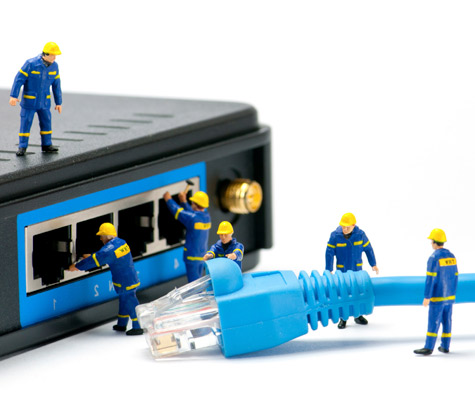
The first step to installing DSL internet at your home is figuring out whether there's existing infrastructure for it where you live (your provider can help with this). Once you've been given the green light, you can schedule installation from your ISP or do it yourself via self-installation kit.
Some providers include free installation from a technician with their internet packages, while others charge for this service. The advantage of self-installing is that you can avoid this potential charge and any scheduling headaches (providers are notorious for their broad time windows).
If you do decide to self install, the kit that your provider sends you will include everything you need to get up and running. You can buy the router and modem yourself if you prefer, unless you have one laying around already that you can use.
DSL installation requires the following equipment:
- DSL modem with power supply
- Ethernet cable
- DSL filter(s)
- Router (or combined modem and router)
DSL Internet Contracts & Pricing
DSL internet plans start around $35 and go up from there. DSL plans tend to top out under $60, making this one of the more affordable ways to connect to the web. Note that in most cases internet providers offer "promotional" prices that are good for your first 12 months of service, and increase after that. Make sure you monitor your bill for any changes.
Also don't forget to factor in the cost of installation and a modem, which you can rent or buy from the provider. As mentioned, some providers will throw in the installation for free.
Internet Providers by State
- Internet in Alabama
- Internet in Alaska
- Internet in Arizona
- Internet in Arkansas
- Internet in California
- Internet in Colorado
- Internet in Connecticut
- Internet in Delaware
- Internet in District of Columbia
- Internet in Florida
- Internet in Georgia
- Internet in Hawaii
- Internet in Idaho
- Internet in Illinois
- Internet in Indiana
- Internet in Iowa
- Internet in Kansas
- Internet in Kentucky
- Internet in Louisiana
- Internet in Maine
- Internet in Maryland
- Internet in Massachusetts
- Internet in Michigan
- Internet in Minnesota
- Internet in Mississippi
- Internet in Missouri
- Internet in Montana
- Internet in Nebraska
- Internet in Nevada
- Internet in New Hampshire
- Internet in New Jersey
- Internet in New Mexico
- Internet in New York
- Internet in North Carolina
- Internet in North Dakota
- Internet in Ohio
- Internet in Oklahoma
- Internet in Oregon
- Internet in Pennsylvania
- Internet in Rhode Island
- Internet in South Carolina
- Internet in South Dakota
- Internet in Tennessee
- Internet in Texas
- Internet in Utah
- Internet in Vermont
- Internet in Virginia
- Internet in Washington
- Internet in West Virginia
- Internet in Wisconsin
- Internet in Wyoming


.jpg?w=280&h=280&usm=20&usmrad=0.8&fit=crop "Verizon Fios Internet vs. Optimum Internet")

.jpg?w=280&h=280&usm=20&usmrad=0.8&fit=crop "Viasat vs Hughesnet Internet Plans Compared")


.jpg?w=280&h=280&usm=20&usmrad=0.8&fit=crop "gFiber vs. AT&T Fiber: Which internet is better for you?")


