
Internet 100
- Typical Download Speed: 100 Mbps
- Typical Upload Speed: 10 Mbps
- Typical Latency: 1 ms
- Monthly Data: Unlimited
- Suitable for 2-4 Users

Internet 300
- Typical Download Speed: 356 Mbps
- Typical Upload Speed: 24 Mbps
- Typical Latency: 11 ms
- Monthly Data: Unlimited
- Suitable for 2-5 Users
Internet 200
- Typical Download Speed: 200 Mbps
- Typical Upload Speed: 20 Mbps
- Typical Latency: 1 ms
- Monthly Data: Unlimited
- Suitable for 2-5 Users

200 Mbps
- Typical Download Speed: 210.5 Mbps
- Typical Upload Speed: 212.4 Mbps
- Typical Latency: 2.1 ms
- Monthly Data: Unlimited
- Suitable for 2-5 Users

25 Mbps
- Typical Download Speed: 25 Mbps
- Typical Upload Speed: 4 Mbps
- Typical Latency: 17 ms
- Monthly Data: Unlimited
- Suitable for 1-2 Users
Internet 600
- Typical Download Speed: 671 Mbps
- Typical Upload Speed: 48 Mbps
- Typical Latency: 12 ms
- Monthly Data: Unlimited
- Suitable for 2-5 Users

300 Mbps Internet
- Typical Download Speed: 300 Mbps
- Typical Upload Speed: 300 Mbps
- Typical Latency: 5 ms
- Monthly Data: Unlimited
- Suitable for 2-5 Users
- Deal: Switch to Optimum Fiber-powered Internet for $30/mo. locked in for a year. It’s the best deal on Internet. Anywhere!
300 Mbps Internet
- Typical Download Speed: 365 Mbps
- Typical Upload Speed: 323 Mbps
- Typical Latency: 5 ms
- Monthly Data: Unlimited
- Suitable for 2-5 Users
- Deal: Switch to Optimum Fiber-powered Internet for $30/mo. locked in for a year. It’s the best deal on Internet. Anywhere!
Internet 500
- Typical Download Speed: 500 Mbps
- Typical Upload Speed: 50 Mbps
- Typical Latency: 1 ms
- Monthly Data: Unlimited
- Suitable for 2-5 Users
- Deal: Limited Time Offer: 5 year price guarantee + a $150 prepaid gift card with this plan!

300 Mbps
- Typical Download Speed: 351.04 Mbps
- Typical Upload Speed: 23.37 Mbps
- Typical Latency: 19.3 ms
- Monthly Data: Unlimited
- Suitable for 2-4 Users
- Deal: No contract, no commitment, & WiFi equipment included for only $45/month for 5 years.
Internet 1 Gig
- Typical Download Speed: 1000 Mbps
- Typical Upload Speed: 50 Mbps
- Typical Latency: 1 ms
- Monthly Data: Unlimited
- Suitable for 5+ Users
- Deal: Limited Time Offer: 5 year price guarantee + a $200 prepaid gift card with this plan!

Internet 300
- Typical Download Speed: 347 Mbps
- Typical Upload Speed: 21 Mbps
- Typical Latency: 20 ms
- Monthly Data: Unlimited
- Suitable for 2-5 Users
500 Mbps
- Typical Download Speed: 500 Mbps
- Typical Upload Speed: 100 Mbps
- Typical Latency: 17 ms
- Monthly Data: Unlimited
- Suitable for 3-5 Users
500 Mbps
- Typical Download Speed: 524.4 Mbps
- Typical Upload Speed: 530.9 Mbps
- Typical Latency: 1.3 ms
- Monthly Data: Unlimited
- Suitable for 2-5 Users
1 Gig
- Typical Download Speed: 1000 Mbps
- Typical Upload Speed: 100 Mbps
- Typical Latency: 17 ms
- Monthly Data: Unlimited
- Suitable for 5+ Users
Internet 1 Gig
- Typical Download Speed: 1006 Mbps
- Typical Upload Speed: 57 Mbps
- Typical Latency: 8 ms
- Monthly Data: Unlimited
- Suitable for 5+ Users
Internet 1 Gig
- Typical Download Speed: 979 Mbps
- Typical Upload Speed: 64 Mbps
- Typical Latency: 20 ms
- Monthly Data: Unlimited
- Suitable for 5+ Users

Ultra 1 Gig Internet
- Typical Download Speed: 934 Mbps
- Typical Upload Speed:21 Mbps
- Typical Latency: 16 ms
- Monthly Data: Unlimited
- Suitable for 5+ Users
1 Gig
- Typical Download Speed: 929.8 Mbps
- Typical Upload Speed: 940.4 Mbps
- Typical Latency: 2.1 ms
- Monthly Data: Unlimited
- Suitable for 5+ Users
500 Mbps
- Typical Download Speed: 583.13 Mbps
- Typical Upload Speed: 23.37 Mbps
- Typical Latency: 14.1 ms
- Monthly Data: Unlimited
- Suitable for 2-5 Users
300 Mbps Internet + Unlimited Mobile
- Typical Download Speed: 300 Mbps
- Typical Upload Speed: 300 Mbps
- Typical Latency: 5 ms
- Monthly Internet Data: Unlimited
- Suitable for 2-5 Users
- Monthly Mobile Data: Unlimited
- Deal: Switch to Optimum Fiber-powered Internet for $30/mo. locked in for a year. It’s the best deal on Internet. Anywhere!
300 Mbps Internet + Unlimited Mobile
- Typical Download Speed: 356 Mbps
- Typical Upload Speed: 323 Mbps
- Typical Latency: 5 ms
- Monthly Data: Unlimited
- Suitable for 2-5 Users
- Deal: Switch to Optimum Fiber-powered Internet for $30/mo. locked in for a year. It’s the best deal on Internet. Anywhere!

1 Gig Coax
- Typical Download Speed: 1000 Mbps
- Typical Upload Speed: 50 Mbps
- Typical Latency: 6 ms
- Monthly Data: Unlimited
- Suitable for 5+ Users
Internet 1.2 Gig
- Typical Download Speed: 1209 Mbps
- Typical Upload Speed: 58 Mbps
- Typical Latency: 8 ms
- Monthly Data: Unlimited
- Suitable for 5+ Users
500 Mbps Internet + Unlimited Mobile
- Typical Download Speed: 609 Mbps
- Typical Upload Speed: 540 Mbps
- Typical Latency: 5 ms
- Monthly Internet Data: Unlimited
- Suitable for 2-5 Users
- Monthly Mobile Data: Unlimited
- Deal: Switch to Optimum Fiber-powered Internet for $30/mo. locked in for a year. It’s the best deal on Internet. Anywhere!
Internet 100
- Typical Download Speed: 100 Mbps
- Typical Upload Speed: 10 Mbps
- Typical Latency: 1 ms
- Monthly Data: Unlimited
- Suitable for 2-4 Users
Internet 300
- Typical Download Speed: 356 Mbps
- Typical Upload Speed: 24 Mbps
- Typical Latency: 11 ms
- Monthly Data: Unlimited
- Suitable for 2-5 Users
Internet 200
- Typical Download Speed: 200 Mbps
- Typical Upload Speed: 20 Mbps
- Typical Latency: 1 ms
- Monthly Data: Unlimited
- Suitable for 2-5 Users
200 Mbps
- Typical Download Speed: 210.5 Mbps
- Typical Upload Speed: 212.4 Mbps
- Typical Latency: 2.1 ms
- Monthly Data: Unlimited
- Suitable for 2-5 Users
25 Mbps
- Typical Download Speed: 25 Mbps
- Typical Upload Speed: 4 Mbps
- Typical Latency: 17 ms
- Monthly Data: Unlimited
- Suitable for 1-2 Users
Internet 600
- Typical Download Speed: 671 Mbps
- Typical Upload Speed: 48 Mbps
- Typical Latency: 12 ms
- Monthly Data: Unlimited
- Suitable for 2-5 Users
300 Mbps Internet
- Typical Download Speed: 300 Mbps
- Typical Upload Speed: 300 Mbps
- Typical Latency: 5 ms
- Monthly Data: Unlimited
- Suitable for 2-5 Users
- Deal: Switch to Optimum Fiber-powered Internet for $30/mo. locked in for a year. It’s the best deal on Internet. Anywhere!
300 Mbps Internet
- Typical Download Speed: 365 Mbps
- Typical Upload Speed: 323 Mbps
- Typical Latency: 5 ms
- Monthly Data: Unlimited
- Suitable for 2-5 Users
- Deal: Switch to Optimum Fiber-powered Internet for $30/mo. locked in for a year. It’s the best deal on Internet. Anywhere!
Internet 500
- Typical Download Speed: 500 Mbps
- Typical Upload Speed: 50 Mbps
- Typical Latency: 1 ms
- Monthly Data: Unlimited
- Suitable for 2-5 Users
- Deal: Limited Time Offer: 5 year price guarantee + a $150 prepaid gift card with this plan!
300 Mbps
- Typical Download Speed: 351.04 Mbps
- Typical Upload Speed: 23.37 Mbps
- Typical Latency: 19.3 ms
- Monthly Data: Unlimited
- Suitable for 2-4 Users
- Deal: No contract, no commitment, & WiFi equipment included for only $45/month for 5 years.
Internet 1 Gig
- Typical Download Speed: 1000 Mbps
- Typical Upload Speed: 50 Mbps
- Typical Latency: 1 ms
- Monthly Data: Unlimited
- Suitable for 5+ Users
- Deal: Limited Time Offer: 5 year price guarantee + a $200 prepaid gift card with this plan!
Internet 300
- Typical Download Speed: 347 Mbps
- Typical Upload Speed: 21 Mbps
- Typical Latency: 20 ms
- Monthly Data: Unlimited
- Suitable for 2-5 Users
500 Mbps
- Typical Download Speed: 500 Mbps
- Typical Upload Speed: 100 Mbps
- Typical Latency: 17 ms
- Monthly Data: Unlimited
- Suitable for 3-5 Users
500 Mbps
- Typical Download Speed: 524.4 Mbps
- Typical Upload Speed: 530.9 Mbps
- Typical Latency: 1.3 ms
- Monthly Data: Unlimited
- Suitable for 2-5 Users
1 Gig
- Typical Download Speed: 1000 Mbps
- Typical Upload Speed: 100 Mbps
- Typical Latency: 17 ms
- Monthly Data: Unlimited
- Suitable for 5+ Users
Internet 1 Gig
- Typical Download Speed: 1006 Mbps
- Typical Upload Speed: 57 Mbps
- Typical Latency: 8 ms
- Monthly Data: Unlimited
- Suitable for 5+ Users
Internet 1 Gig
- Typical Download Speed: 979 Mbps
- Typical Upload Speed: 64 Mbps
- Typical Latency: 20 ms
- Monthly Data: Unlimited
- Suitable for 5+ Users
Ultra 1 Gig Internet
- Typical Download Speed: 934 Mbps
- Typical Upload Speed:21 Mbps
- Typical Latency: 16 ms
- Monthly Data: Unlimited
- Suitable for 5+ Users
1 Gig
- Typical Download Speed: 929.8 Mbps
- Typical Upload Speed: 940.4 Mbps
- Typical Latency: 2.1 ms
- Monthly Data: Unlimited
- Suitable for 5+ Users
500 Mbps
- Typical Download Speed: 583.13 Mbps
- Typical Upload Speed: 23.37 Mbps
- Typical Latency: 14.1 ms
- Monthly Data: Unlimited
- Suitable for 2-5 Users
300 Mbps Internet + Unlimited Mobile
- Typical Download Speed: 300 Mbps
- Typical Upload Speed: 300 Mbps
- Typical Latency: 5 ms
- Monthly Internet Data: Unlimited
- Suitable for 2-5 Users
- Monthly Mobile Data: Unlimited
- Deal: Switch to Optimum Fiber-powered Internet for $30/mo. locked in for a year. It’s the best deal on Internet. Anywhere!
300 Mbps Internet + Unlimited Mobile
- Typical Download Speed: 356 Mbps
- Typical Upload Speed: 323 Mbps
- Typical Latency: 5 ms
- Monthly Data: Unlimited
- Suitable for 2-5 Users
- Deal: Switch to Optimum Fiber-powered Internet for $30/mo. locked in for a year. It’s the best deal on Internet. Anywhere!
1 Gig Coax
- Typical Download Speed: 1000 Mbps
- Typical Upload Speed: 50 Mbps
- Typical Latency: 6 ms
- Monthly Data: Unlimited
- Suitable for 5+ Users
Internet 1.2 Gig
- Typical Download Speed: 1209 Mbps
- Typical Upload Speed: 58 Mbps
- Typical Latency: 8 ms
- Monthly Data: Unlimited
- Suitable for 5+ Users
500 Mbps Internet + Unlimited Mobile
- Typical Download Speed: 609 Mbps
- Typical Upload Speed: 540 Mbps
- Typical Latency: 5 ms
- Monthly Internet Data: Unlimited
- Suitable for 2-5 Users
- Monthly Mobile Data: Unlimited
- Deal: Switch to Optimum Fiber-powered Internet for $30/mo. locked in for a year. It’s the best deal on Internet. Anywhere!


What is Cable Internet?
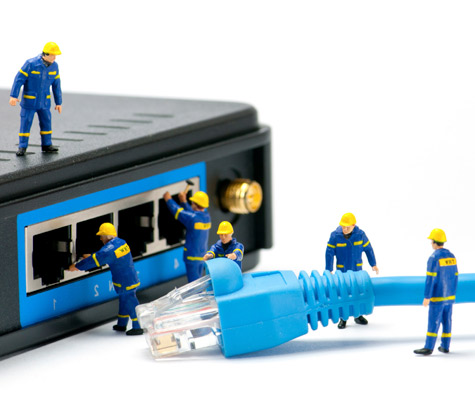
Cable internet is one of the most popular ways to connect to the web. With this connection, a signal travels to your home via coaxial cable—the same one that delivers your cable TV service. As such, homes and neighborhoods routed for cable TV are also cable internet-ready.
Cable internet lines run from your house to a neighborhood node, shared by others. As a result, your connection speed will depend in part on your neighborhood’s bandwidth, or speed limitations, as well as the number of users on it at a given time. In this sense, it’s similar to DSL service, which makes use of existing phone lines and also connects to a central hub.
However, cable internet is capable of delivering significantly faster speeds than DSL. Also, these coaxial connections enable internet and TV service to be transmitted simultaneously, via a single cable and single provider.
Since it relies on existing wires and a neighborhood hub, cable is often unavailable to rural customers. To see if you can get cable internet in your area, punch your address into WhistleOut's internet plan comparison engine and press "search."

How Do I Find the Best Cable Service in My Area?
Want cable internet for your home, but unsure which companies provide service to your area? WhistleOut is here to help.
Our address lookup feature, part of our internet plan comparison engine, lets you see which cable internet providers are available at your specific address. All you have to do is type in your street, city and zip code, click "Search," and filter the subsequent results page by "cable."
According to Broadband Now, the two biggest cable internet service providers in the United States are Xfinity and Spectrum, with Cox and Optimum running in third and fourth place.
While one of these four providers will be available in most cable internet-ready areas, many will also feature smaller competitors like WOW!, Suddenlink, Mediacom, RCN, Cable ONE and others. That's why it pays to compare—you could score a deal not offered by the big internet providers.
As mentioned in the previous section, since cable internet relies on existing cable infrastructure and connects to a neighborhood node, it's not available everywhere. Our internet plan search engine will tell you whether it's available in your area with a push of a button.
How Fast is Cable Internet?
A quick glance at cable internet plans on WhistleOut's comparison engine show cable speeds starting around 10 Mbps and topping out at an amazing 1 Gbps (that's as fast as fiber!).
You'll want to see what speeds are like at your specific location, though; the best way to do that is by plugging your address into our internet plan comparison engine, pressing search, and filtering the results by "Cable." You can compare those results to your current connection speeds, as well.
How Does Cable Internet Installation Work?
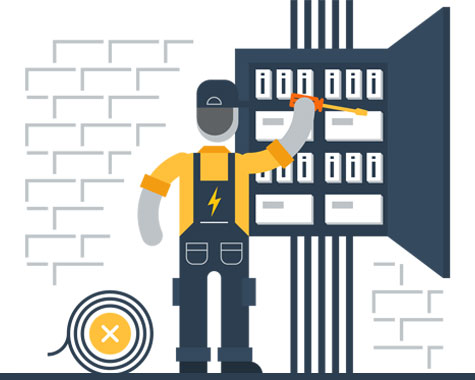
The first step to installing cable internet at your home is figuring out whether there's a working cable connection. Your internet provider technician can assess this if you're unsure. From there, you'll either need a new installation, pre-existing installation, or you can try self-installing.
If your neighborhood has a cable node but your house hasn't been routed for cable, you're technician will have to put it in (new installation). This involves running a coaxial cable to a utility pole.
If, on the other hand, your house is already routed for cable TV, installation will simply involve the technician checking your signal strength and, if necessary, installing new cable from the house to the nearest utility pole (pre-existing installation).
Lastly, some providers, like Spectrum, give you the option to self-install your cable internet via a kit that they send you. If you're pretty handy, this can be a nice alternative to waiting around for a technician to arrive.
Cable Internet Contracts & Pricing
Cable internet plan pricing can vary widely depending on how much speed is offered. The cheapest plans tend to start around $30 and go up from there. Note that in most cases cable internet providers offer "promotional" prices that are good for your first 12 months of service, and increase after that. Make sure you monitor your bill for any changes.
Also don't forget to factor in the cost of installation and a modem, which you can rent or buy from the provider. In certain instances, providers will throw in the installation for free.
Common Cable Internet Questions
Internet Providers by State
- Internet in Alabama
- Internet in Alaska
- Internet in Arizona
- Internet in Arkansas
- Internet in California
- Internet in Colorado
- Internet in Connecticut
- Internet in Delaware
- Internet in District of Columbia
- Internet in Florida
- Internet in Georgia
- Internet in Hawaii
- Internet in Idaho
- Internet in Illinois
- Internet in Indiana
- Internet in Iowa
- Internet in Kansas
- Internet in Kentucky
- Internet in Louisiana
- Internet in Maine
- Internet in Maryland
- Internet in Massachusetts
- Internet in Michigan
- Internet in Minnesota
- Internet in Mississippi
- Internet in Missouri
- Internet in Montana
- Internet in Nebraska
- Internet in Nevada
- Internet in New Hampshire
- Internet in New Jersey
- Internet in New Mexico
- Internet in New York
- Internet in North Carolina
- Internet in North Dakota
- Internet in Ohio
- Internet in Oklahoma
- Internet in Oregon
- Internet in Pennsylvania
- Internet in Rhode Island
- Internet in South Carolina
- Internet in South Dakota
- Internet in Tennessee
- Internet in Texas
- Internet in Utah
- Internet in Vermont
- Internet in Virginia
- Internet in Washington
- Internet in West Virginia
- Internet in Wisconsin
- Internet in Wyoming


.jpg?w=280&h=280&usm=20&usmrad=0.8&fit=crop "Verizon Fios Internet vs. Optimum Internet")

.jpg?w=280&h=280&usm=20&usmrad=0.8&fit=crop "Viasat vs Hughesnet Internet Plans Compared")


.jpg?w=280&h=280&usm=20&usmrad=0.8&fit=crop "gFiber vs. AT&T Fiber: Which internet is better for you?")


