
Need help getting your Visible service up and running? Afraid you’re going to lose your number or miss an important call in the process? Activating service with a new carrier can be spooky. Let me demystify the process for you.
I activated Visible service myself, and while porting my phone number from another carrier was a little tricky, the rest of the steps were straightforward. From prepping your phone for activation to choosing a SIM, I’ll walk you through the process.Before activation: Creating your Visible account
You’ve made the switch to Visible. Smart move! Switching to Visible means saving big bucks on your phone plan while remaining on Verizon's award-winning 4G and 5G LTE networks. I like the carrier so much that I made the switch myself.
Visible likes to keep things simple, including its activation process. But before tying the knot, you need to create your Visible account. This process includes picking a phone plan, choosing a SIM, bringing your number or getting a new one, and preparing your phone for activation.
Why I switched to Visible
I am a long-time fan of MVNOs—small carriers that boast generous savings. After four years with Google Fi, an MVNO running on T-Mobile’s network, I decided to move to Visible. My decision was two-fold. For one, Visible’s base unlimited plan was half the price of Google Fi’s cheapest unlimited plan, and secondly, Verizon had better service in my area. You can hear more about why I switched over at our full Visible review.
Pick a Visible plan
Creating your Visible account includes picking a phone plan. Visible keeps it simple with their unlimited plans:
- $25/month Visible base plan
- $35/month Visible+ plan, with more perks like unlimited premium data
- $45/month Visible+ Pro plan with unlimited premium data and international benefits
I opted for the $25/month plan because I wanted a cheap plan with unlimited talk, text, and data. Since I am not a big data user, and use Wi-Fi for most of my internet needs, I stuck with the base plan as opposed to the Visible+ and +Pro plans that guarantee unlimited premium data every month. You can learn more about all of Visible’s options on our in-depth Visible plan guide.
|
#1
|
Visible

$25 Visible Plan
$25.00/mo
Taxes & Fees included
|
|
#2
|
Visible
$30 Visible+ Plan
$30.00/mo
Taxes & Fees included
|
|
#3
|
Visible
$40 Visible+ Pro Plan
$40.00/mo
Taxes & Fees included
|
Choose a physical SIM or eSIM
A SIM card is a personal identification code that connects you and your device to a cellular network. When you set up your Visible account, you can activate your service using a physical SIM card or an eSIM.
While most people are likely familiar with SIM cards, those teeny tiny microchips you slip into that secret tray in your phone, others may be less acquainted with eSIMs. With newer smartphones, eSIMs (Embedded Subscriber Identity Modules) come digitally built in. With an eSIM, you can switch carriers without waiting for a SIM card to arrive in the mail.
When choosing between a SIM and an eSIM, first check that your phone is eSIM compatible. At the end of the day, we can show you how to activate your Visible service using a physical SIM or eSIM. (More on this later).
Bring your number or get a new one
During the activation process, you can bring your current phone number to Visible—also known as “porting”—or accept a new one. Visible will walk you through the porting process (as will I), but you can better prepare by having some basic information from your current carrier. Visible will want your:
- Account number
- PIN
- Zip code
Instructions for finding this information vary by carrier; in my experience, I had to contact customer service.
Prepare your phone for activation
After picking a plan, a SIM, and a phone number, these final steps will ensure a smoother activation process later on.
- If you haven't already done so, update your phone with the most current software to make sure you’re on the latest version of iOS or Android.
- Ensure your device is compatible with Visible’s network and that it is unlocked.
- Download the Visible app.
- Have your phone ready by:
- Making sure it’s charged.
- Connecting to Wi-Fi (ensure your connection is solid).
Be sure to check out our guide on switching to Visible for more details on this process.
Can I activate the Visible service without the app?
You can’t currently activate your Visible plan without the Visible app. While you can create your Visible account on a desktop computer, you will need the app to complete the activation process. Be sure to download the Visible app for iOS or Android if you haven’t already done so.
Activate Visible with a SIM card
If you decide to activate your Visible service using a physical SIM card, Visible will mail you one. While it can take 3-5 business days for your SIM to arrive, most Reddit users say they got theirs within 24-48 hours.
With your SIM in hand, you are ready to start the activation process. Both Android and iPhone users can follow these instructions:
- Insert your SIM card. For instructions on how to do this, follow our guide.
- Log in to your Visible app and select Go to Activation.
- Review your selected phone plan and your preferred payment method, making any changes as necessary.
- Tap Activate and follow the steps outlined—this includes porting your current phone number if you choose to do so.
Completing these steps will activate your Visible service, but don’t be surprised if you don’t have service immediately. It can take up to 30 minutes to get a solid connection. (It took only about 5 minutes for me.)
Activate Visible with an eSIM
Whether you have an iPhone or Android phone, activating Visible using an eSIM is just a couple of taps away. The best part is that there's no waiting for a SIM to come in the mail!
The process differs slightly based on which phone type you have—we’ll run through the instructions for both below.
Activating your Visible eSIM with an iPhone
I went through the eSIM activation process myself using an iPhone. Here’s what you do:
-
Log in to your Visible app. Visible will automatically pick up where you left off during your account setup.
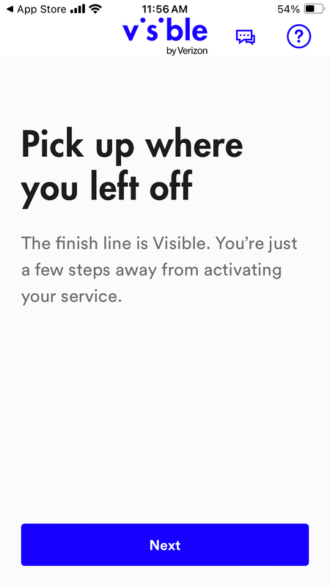
Your Visible app will pick up where you left off during setup. Image: Alissa Bird -
Follow the instructions to activate your Visible service, which include:
- Verifying your email address.
- Confirming your device by its IMEI number.
- Updating your personal information.
-
Choosing to keep or create your phone number.
- Note: If you choose to keep your number, you will still create a new temporary one while Visible requests access to your current number. Rest assured, you can transfer your current number when everything is said and done.
- Complete your plan purchase. From here, follow the prompts to remove your old SIM and activate your new eSIM.
- With activation almost complete, you can transfer your old phone number if you want to keep it. When you see the screen reading Almost Done, select the box Transfer your number. You will need the Account number and PIN associated with your now-previous cell carrier.
- Open up your Visible app.
- Follow the step-by-step activation instructions.
-
Turn on the SIM.
- Pixel users: Go to Settings > Network & Internet > Advanced > Add Operator.
- Samsung users: Go to Settings > Connections > SIM card manager > Add Mobile plan.
- Toggle on your Mobile data if it’s not on already.
- Watch for the Phone is Activated alert to appear on your screen and redirect you to the Visible app.
- Sit tight. The activation process is nearly complete but can take up to 15 minutes.
- 6.7 inch display
- Rear Cameras: 50MP, 2MP
- Front Camera: 32MP
- 6.7 inch display
- Rear Cameras: 50MP, 8MP, 2MP
- Front Camera: 13MP
- 6.8 inch display
- Rear Cameras: 50MP, 8MP
- Front Camera: 32MP
- 6.7 inch display
- Rear Cameras: 50MP, 13MP
- Front Camera: 32MP
- 6.7 inch display
- Rear Cameras: 50MP, 8MP, 5MP
- Front Camera: 12MP
- Make sure your new phone is unlocked.
- Charge your new phone and connect to Wi-Fi.
- Download the latest version of the Visible app on your new phone and log in.
- Take your SIM out of your old phone and insert it into your new phone.
- Turn your new phone off and then back on.
- Your Visible service will activate when you restart your phone. This process can take up to fifteen minutes.
- Open the Visible app on your new phone and log in. Go to Account > Your devices.
- Under Switching phones is SIMple, tap Switch now.
- When your screen reads, Where do you want your eSIM?, choose A new phone.
- Enter your new phone’s IMEI when directed.
- From here instructions will differ for iPhone and Android users.
- Proceed to verify your account via email or phone number.
- Follow the instructions on the You’re almost there screen.
- Tap OK when your app reads Your SIM will be downloaded soon.
- When you reach the Download Finished screen, select Settings and toggle on your Visible eSIM.
- Tap Yes when asked to turn on Visible and then Continue to connect to Visible’s network.
- Use a Visible QR code to activate service if you’re encountering trouble.
- Reach out to Visible’s Care team.
- Use Visible’s Community page. I’ve yet to ask a question that hasn’t been thoroughly answered here.
- Double-check your Wi-Fi connection. A weak connection can slow down the process.
- Determine if your phone is the issue by checking out our troubleshooting guides for iPhone and Android devices.
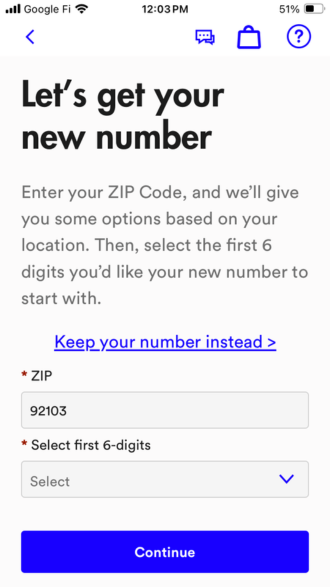
Decide to keep or create a new number. Image: Alissa Bird 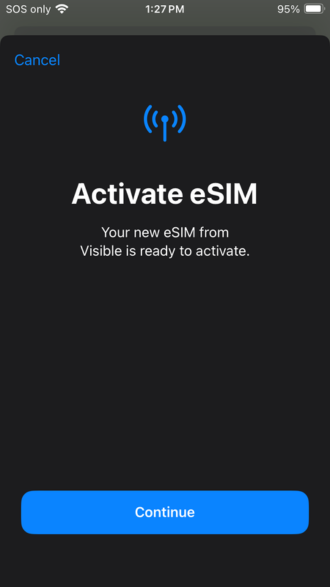
Activating my eSIM. Image: Alissa Bird 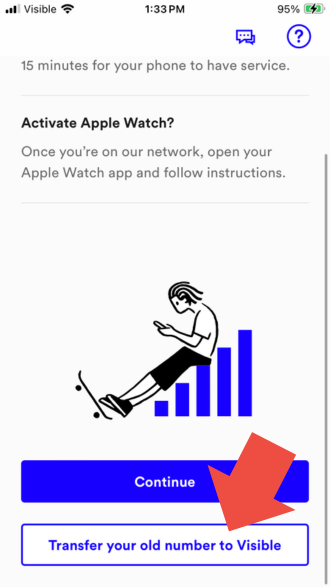
Select transfer number to start the transfer process. Image: Alissa Bird Transferring your number completes the activation process. These steps can take 15 minutes or more, but in my case, they took less than five.
Activating your Visible eSIM with an Android
Whether you have a Pixel, Samsung, or other Android device, activating Visible service with an eSIM is straightforward.
To begin the process:
Transfer your Visible service to a new phone
If you already have Visible phone service but need to transfer it over to a new device, we can help. Activating Visible on your new phone will feel similar to your initial activation process, but instructions will differ depending on the type of SIM and smartphone you are using.
If you plan on getting a new device, financing one through Visible is smart, as Visible offers competitive financing. Here are the most popular devices for Visible customers:
MotorolaMoto G 5G (2026) 128GB
12 Plans from $25/mo + $279.99 Upfront Samsung
Galaxy A26 5G
12 Plans from $25/mo + $299 Upfront Motorola
Moto G Power (2026) 128GB
12 Plans from $25/mo + $299.99 Upfront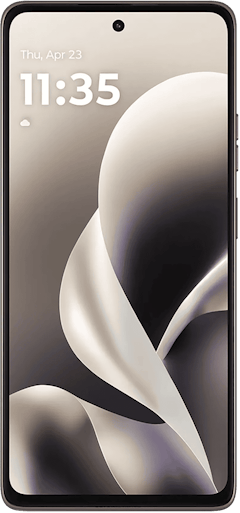 Motorola
Moto G Stylus 5G (2026) 128GB
12 Plans from $25/mo + $399.99 Upfront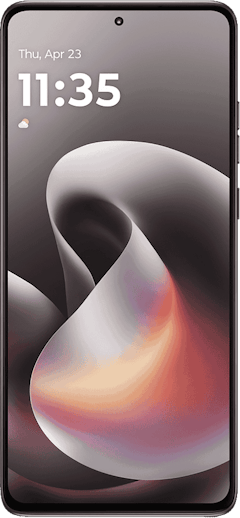 Samsung
Galaxy A37 5G 128GB
12 Plans from $25/mo + $449 Upfront View Full Results ~ Last Updated 10/19/2026Powered by
Transferring your Visible SIM card to a new phone
Transferring your Visible SIM card to a new phone is quick and painless. This process will be the same for iPhone and Android devices. To do this:
Transferring your Visible eSIM to a new phone
Transferring your eSIM to a new phone is more involved but will be done quickly. Instructions for iPhone and Android users will differ slightly. Follow these steps:
Be aware that it can take up to fifteen minutes for your eSIM transfer to go through.
Troubleshooting Visible activation issues
If you are having trouble activating your Visible phone service, give these tips a try:
Alissa Bird
Staff Writer

Thousands of cell phone plans unpacked. All the facts. No surprises.





.png?w=280&h=280&usm=20&usmrad=0.8&fit=crop "The Best Cheap Phone Plans for 2026: We Tested Them All to Help You Save")


