
There's an ongoing tension in the smartphone market where the phones everyone wants are also the hardest to use one-handed. The screens are large enough to be genuinely useful for productivity and media, and also large enough that reaching the top of the screen with your thumb requires a grip adjustment that risks dropping the phone entirely.
Samsung's answer to this has historically been a one-handed mode that shrinks the entire screen to a corner. It works, but barely.
One Hand Operation+ is the better answer. It's a module in Samsung's Good Lock suite that adds an edge gesture system specifically designed to put your most-used phone functions within thumb reach from any grip position.
What is One Hand Operation+?
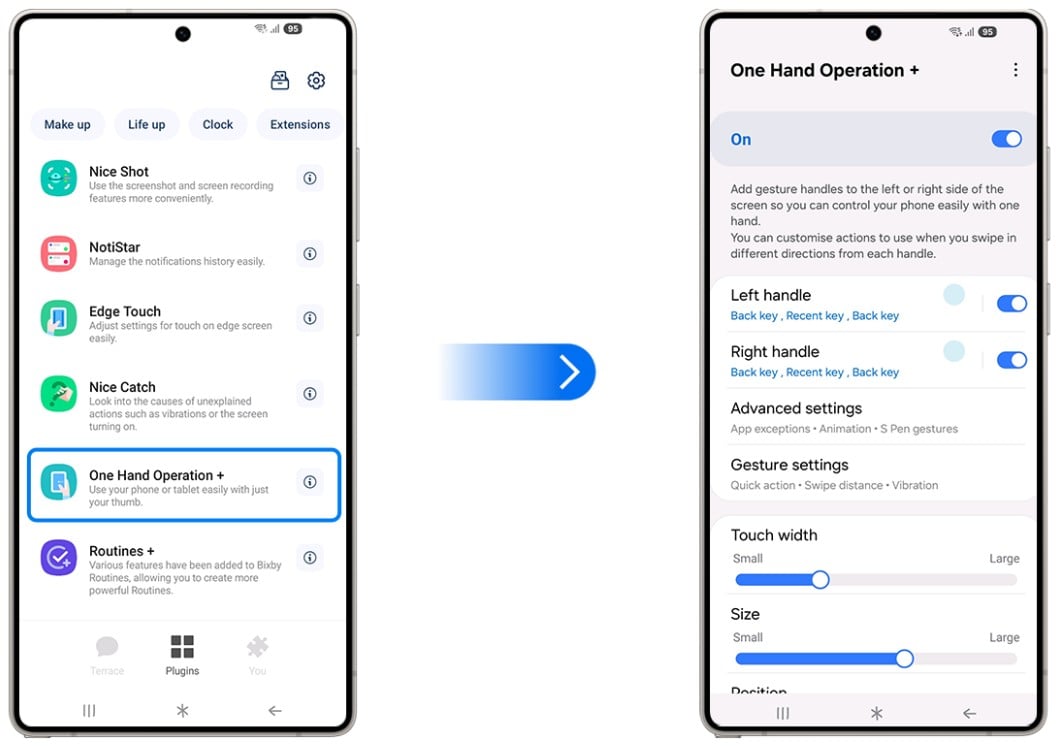
Image: Samsung
One Hand Operation+ is a free Good Lock module that places customizable gesture handles on either edge of the screen. Each handle supports three swipe directions—giving you up to six configurable gesture slots mapped to navigation actions, app launches, or system controls, all reachable from your natural grip position.
How the edge gesture system works
Gesture handles sit along either the left or right edge of the screen at a position you set. Swipe inward horizontally, and one action fires. Swipe diagonally upward, and a second action fires. Swipe diagonally downward, and a third fires. With a handle on both edges, that's six total gesture slots available from wherever your thumb naturally rests while holding the phone.
The handle position is adjustable vertically along the edge, so you set it at whatever height your thumb reaches comfortably. You can also add additional handles at different positions if you want more slots. The entire gesture system activates with an inward swipe from the edge, which One UI distinguishes cleanly from the navigation swipes and content interaction that happen in the middle of the screen.
What to actually assign to each gesture
The action library is large—back, home, recents, screenshot, brightness control, volume adjustment, flashlight toggle, launch a specific app, lock the screen, expand the notification shade, and more. The right configuration depends entirely on which actions you perform most frequently in one-handed situations.
A practical starting configuration: Back on a horizontal swipe (replaces the most frequently needed navigation gesture), Screenshot on diagonal up (removes the awkward button combination), and a commonly used app on diagonal down. That setup alone covers the majority of one-handed friction points on a large Galaxy device.
The Back gesture replacement is probably the single most impactful change. On gesture navigation, going back requires swiping from the far left or right edge—which on a 6.8-inch phone means stretching your thumb to the opposite edge from where it naturally sits. One Hand Operation+ puts Back on the edge you're already holding, at the height your thumb already reaches.
Why large-screen Galaxy owners need this
The physics of phone use are straightforward: A 6-inch screen can be navigated with a thumb from a standard grip. A 6.8-inch or 7-inch screen cannot—not without either using two hands or shifting your grip in ways that reduce comfort and grip. One Hand Operation+ changes the interaction model rather than shrinking the screen, which preserves the full display while making navigation practical from a natural hold.
Galaxy S26 Ultra and Z Fold owners are the clearest candidates for this module, but it's useful on any Galaxy where you regularly use the phone one-handed—commuting, cooking, exercising, or any situation where the other hand is occupied.
Thinking of buying a foldable phone?
MultiStar makes a strong case for going foldable. But foldables come with quirks worth knowing before you buy. Our foldable phone guide covers everything you need to know.
If you're already sold, here are the most popular foldable phones right now:
Pixel 11 Pro Fold 5G 256GB
- 8 inch display
- Rear Cameras: 48MP, 10.5MP, 10.8MP
- Front Cameras: 10MP, 10MP
Galaxy Z Fold8 5G 256GB
- 7.6 inch display
- Rear Cameras: 50MP, 50MP
- Front Cameras: 10MP, 10MP
Galaxy Z Fold7 5G 256GB
- 8 inch display
- Rear Cameras: 200MP, 10MP, 12MP
- Front Camera: 10MP
Pixel 11 Pro Fold 5G 512GB
- 8 inch display
- Rear Cameras: 48MP, 10.5MP, 10.8MP
- Front Cameras: 10MP, 10MP
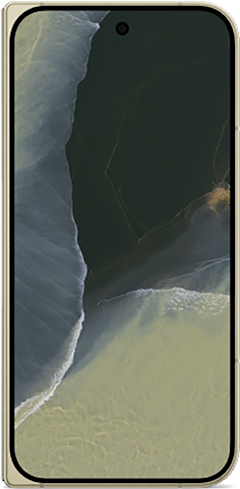
Galaxy Z Fold8 5G 512GB
- 7.6 inch display
- Rear Cameras: 50MP, 50MP
- Front Cameras: 10MP, 10MP
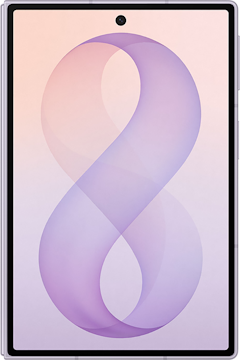

How to get One Hand Operation+
- Cost: Free
- Available on: Samsung Galaxy devices via Galaxy Store and Google Play
- Requires: Good Lock main app installed first
- Works best on: Galaxy S Ultra series, Z Fold series, and any large-screen Galaxy
One Hand Operation+ only works on Galaxy phones. Here are the best phones to run it on.
One Hand Operation+ only works on Samsung Galaxy devices, so if you're not already in the ecosystem, here are the most popular Galaxy phones worth considering:
Moto G 5G (2026) 128GB
- 6.7 inch display
- Rear Cameras: 50MP, 2MP
- Front Camera: 32MP

Galaxy A26 5G
- 6.7 inch display
- Rear Cameras: 50MP, 8MP, 2MP
- Front Camera: 13MP

Galaxy A27 5G 128GB
- 6.7 inch display
- Rear Cameras: 50MP, 5MP, 2MP
- Front Camera: 12MP

Galaxy A37 5G 128GB
- 6.7 inch display
- Rear Cameras: 50MP, 8MP, 5MP
- Front Camera: 12MP

Edge (2026) 128GB
- 6.3 inch display
- Rear Cameras: 50MP, 50MP, 10MP
- Front Camera: 50MP
One Hand Operation+: FAQ
Does One Hand Operation+ conflict with Samsung's swipe navigation gestures?
Conflicts are rare and the Operation+ handle position can be adjusted to avoid any problematic overlap. One Hand Operation+ uses inward edge swipes from specific handle positions, which Samsung's gesture navigation system distinguishes from the navigation swipes that happen along the full bottom edge
Can I use One Hand Operation+ with button navigation instead of gesture navigation?
Yes, the module works independently of whether you're using gesture or button navigation since it adds its own separate gesture input layer instead of modifying the existing navigation system.
How many gesture handles can I add?
Multiple handles can be added on each edge at different vertical positions, giving you more than six gesture slots if you need them—though most users find two to four well-placed gestures sufficient.
Does One Hand Operation+ work in landscape mode?
Yes, separate configurations can be set for portrait and landscape orientations, so gestures positioned for one-handed portrait use don't interfere with landscape multitasking.
Is One Hand Operation+ the same as Samsung's built-in One-Handed Mode?
No, Samsung's One-Handed Mode and One Hand Operation+ are fundamentally different tools. One-Handed Mode shrinks the display to a smaller portion of the screen, while One Hand Operation+ keeps the full display and adds edge gesture shortcuts, which is a more usable approach for most scenarios.
Scott Houghton
Jr. Staff Writer

Thousands of cell phone plans unpacked. All the facts. No surprises.





.png?w=280&h=280&usm=20&usmrad=0.8&fit=crop "The Best Cheap Phone Plans for 2026: We Tested Them All to Help You Save")


